Retail Management
How to Manage a Small Retail Shop: Billing, Stock, Sales & Payments
Learn how to manage a retail shop with practical steps for stock control, billing, purchases, customer dues, expenses, and daily sales reports.
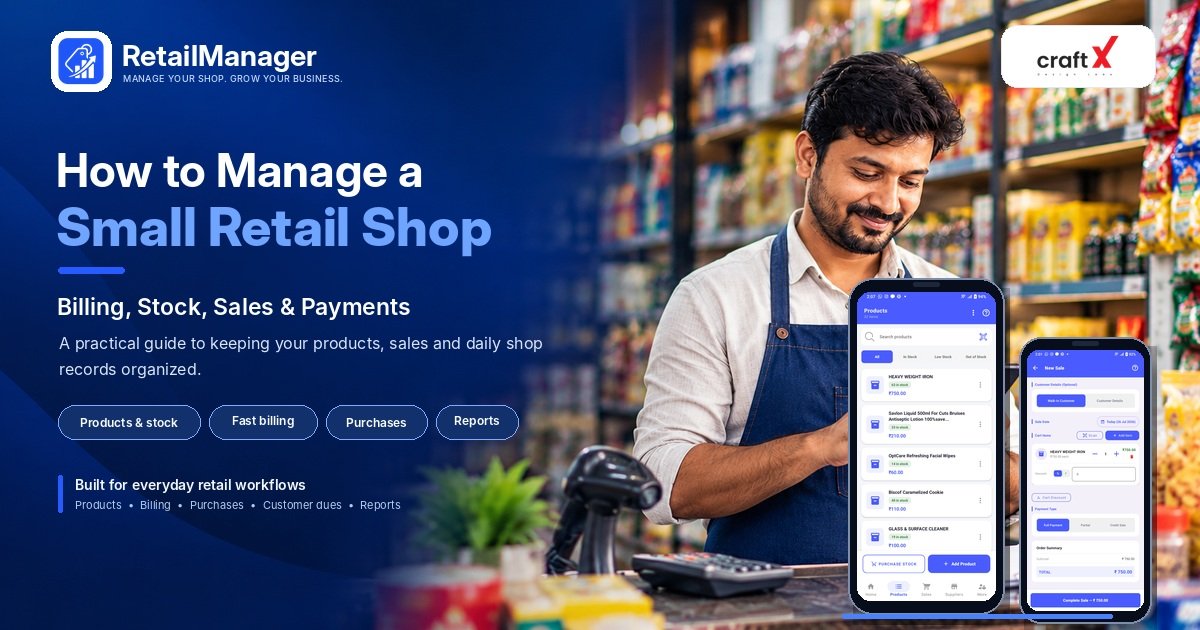
Knowing how to manage a retail shop starts with keeping a few daily records accurate: what you have in stock, what you sell, what you purchase, what customers owe you, and how much your business spends.
Whether you run a grocery store, fertilizer shop, hardware store, clothing shop, stationery store, or mobile accessories business, these everyday tasks have a direct impact on how smoothly your store operates.
Many small retailers begin with notebooks, calculators, and memory. These can work when a business is small, but keeping everything organized becomes harder as the number of products, customers, and transactions grows.
The good news is that you do not need a complicated system to get started. Here are seven practical steps to manage your retail shop more effectively.
1. Organize Your Products and Prices
Start by creating a consistent record of the products you sell. Without an organized product list, it becomes difficult to check prices, locate items, or know how much stock should be available.
For each product, maintain the information relevant to your business:
- Product name and category
- Purchase cost and selling price
- Available stock quantity
- Product unit, such as pieces, packets, boxes, or kilograms
- Barcode or product code, where applicable
- Supplier details, where useful
For example, a hardware shop might organize products into electrical supplies, plumbing items, tools, and fasteners. A fertilizer shop might use categories for fertilizers, seeds, and other agricultural inputs.
Use consistent product names and units. If the same product is recorded under several different names, your stock and sales records can become confusing.
Practical tip: When adding a product, confirm its unit, cost price, selling price, and opening quantity before you start recording transactions.
2. Keep Track of Stock Coming In and Going Out
Inventory management is not just about counting the products on your shelves. It also means recording every important movement that changes your stock.
Use this basic calculation:
Closing stock = Opening stock + Stock received − Stock sold
For a more complete record, also account for customer returns, supplier returns, damaged goods, and other stock adjustments.
Consider this example:
A shop starts with 42 units of a product. The owner receives 20 more units from a supplier and sells 15 units. Two additional units are damaged.
The expected closing stock is:
42 + 20 − 15 − 2 = 45 units
If your recorded stock says 45 units but the physical count shows only 43, investigate the difference instead of ignoring it.
Regularly comparing recorded quantities with physical stock helps identify mistakes, unrecorded movements, and damaged products.
3. Plan Purchases Before Products Run Out
Ordering too early can leave money tied up in excess stock. Ordering too late can mean losing sales because a popular product is unavailable.
To make better purchasing decisions, review three things:
- How quickly the product normally sells.
- How many units are currently available.
- How long the supplier takes to deliver a new order.
For example, if a product sells around six units per day and the supplier generally takes four days to deliver, expected demand during that delivery period is approximately 24 units.
That does not automatically mean 24 units is the correct reorder level. You should also consider current stock, pending orders, supplier reliability, and an appropriate safety buffer.
Review fast-moving products more frequently and avoid buying large quantities solely because a discount is available.
For products with expiry dates or limited shelf life, consider both expected demand and the time available to sell the goods safely.
4. Make Daily Billing Consistent
Billing is another important part of retail shop management. Every sale should be recorded accurately, including the products sold, quantities, prices, discounts where applicable, and payment received.
A consistent billing process helps you:
- Reduce calculation mistakes.
- Keep better records of completed sales.
- Review sales over different periods.
- Handle customer queries about earlier transactions.
- Understand which products are selling well.
Choose a billing process suited to your shop's requirements. Depending on the business, this could involve a notebook, spreadsheet, point-of-sale system, or retail management app.
If your business needs tax invoices, make sure your chosen process and configuration suit your applicable requirements.
For busy shops, features such as product search, barcode scanning where appropriate, invoice printing, and digital invoice sharing can make the checkout process more convenient.
5. Keep Customer Credit and Supplier Payments Organized
Many retailers allow regular customers to buy products on credit. Shops may also purchase stock from suppliers and settle the amount later.
These arrangements can become difficult to manage when payments are recorded only in memory or scattered across notebooks.
Maintain separate, clear records for customer balances and supplier dues.
For customer credit, record the sale, amount received, remaining balance, and subsequent payments. For suppliers, record purchases, payments, and the outstanding amount.
For example, if a customer purchases goods worth ₹2,000 and pays ₹1,200, the remaining balance is ₹800.
This simple record helps you understand what is still outstanding without confusing the original sale with the money received.
Review overdue balances regularly and reconcile records when a payment is made. Keep the records accurate so that you can resolve questions with customers and suppliers confidently.
6. Track Expenses and Understand Your Profit
A shop's total sales do not tell you how much money the business has earned.
You also need to consider the cost of the products sold and expenses such as rent, electricity, transport, packaging, and other operating costs.
Consider this simplified example for a particular period:
| Item | Amount |
|---|---|
| Sales revenue | ₹15,000 |
| Cost of goods sold | ₹10,800 |
| Gross profit | ₹4,200 |
| Operating expenses | ₹1,500 |
| Remaining amount before other adjustments and taxes | ₹2,700 |
This is an illustration, not a complete accounting statement. The final business profit may be affected by other costs, taxes, returns, and accounting adjustments.
Record expenses consistently and review your results over a meaningful period. Comparing daily sales alone may be misleading because sales can fluctuate from one day to another.
7. Establish a Simple Daily Shop Routine
You do not need to spend hours checking every record every day. A consistent routine can help you catch common problems before they become larger.
At the start of the day
- Check important products that are running low.
- Review pending purchases or deliveries.
- Make sure your billing setup is ready.
During business hours
- Record sales accurately.
- Enter received stock and relevant purchase records.
- Record customer payments and supplier payments.
- Note damaged stock, returns, or other adjustments.
At the end of the day
- Review total sales and payment collections.
- Check important stock movements.
- Record expenses and outstanding transactions.
- Investigate significant differences in cash or stock.
- Prepare a list of products that may need replenishment.
Adapt this routine to the size and type of your shop. A small stationery store may need a different stock-checking frequency from a large store with thousands of products.
When Should You Start Using Retail Management Software?
Paper records or spreadsheets may be sufficient for some small businesses. However, as the number of products and daily transactions increases, maintaining separate records can become time-consuming.
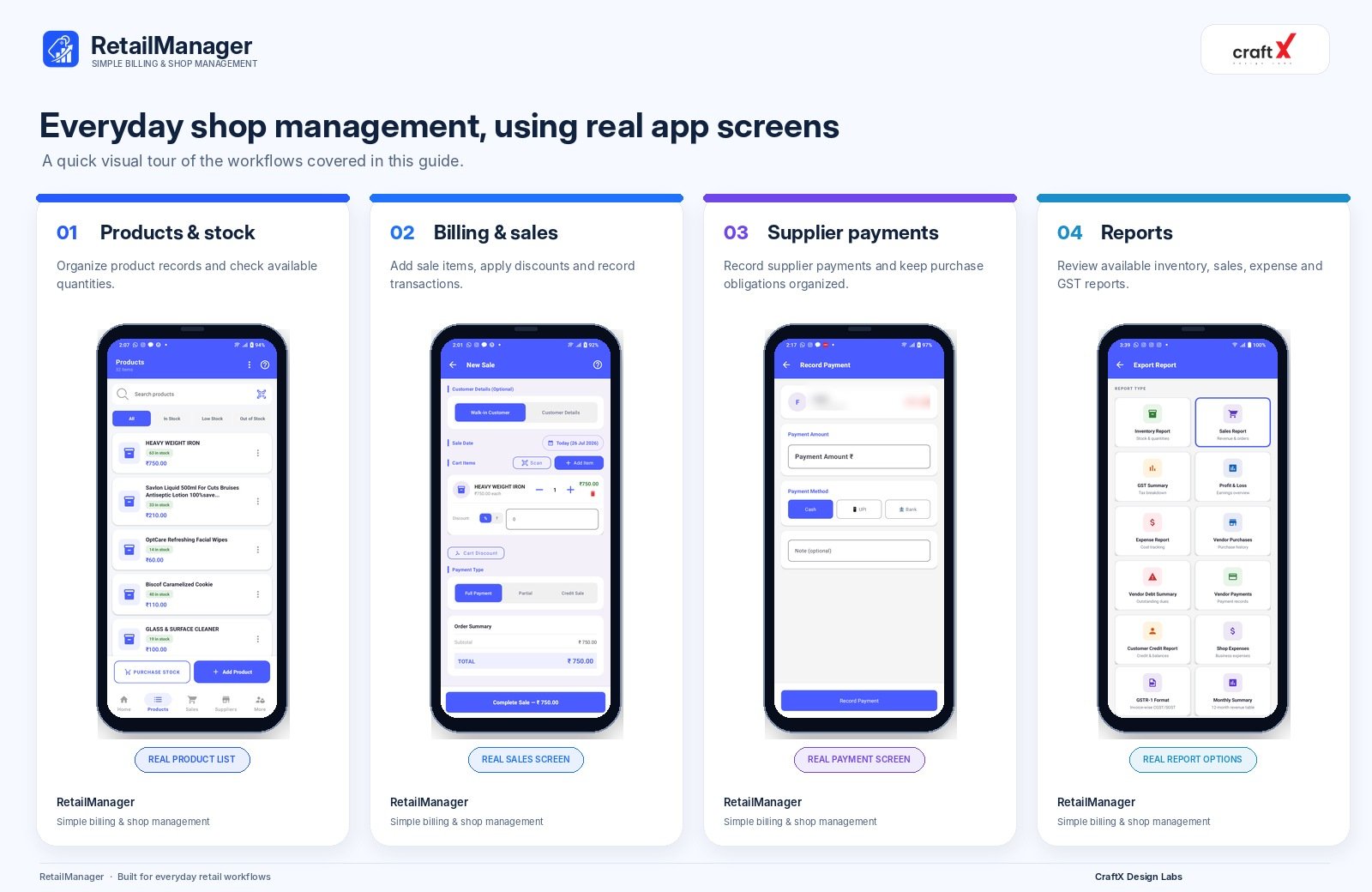
Retail management software can bring everyday tasks into a more organized workflow. Depending on the solution, this may include product records, inventory quantities, sales and billing, purchase entries, customer balances, supplier payment records, and reports.
RetailManager is designed around these types of retail workflows. It helps bring product management, sales, purchases, customer and supplier records, and reporting together in one app.
Before choosing any software, check that its available features meet your actual business requirements. Stores with specialized needs, such as pharmacy batch tracking or regulated inventory workflows, should verify those requirements separately.
To explore billing and inventory management options from CraftX Design Labs, visit the billing software and store inventory management services page.
Frequently Asked Questions
How can I manage a small retail shop effectively?
Start by organizing your products, recording sales and purchases, tracking customer and supplier balances, monitoring expenses, and reviewing daily business activity.
Can I manage a retail shop without software?
Yes. A notebook or spreadsheet may work for a small operation, provided you maintain accurate and consistent records. Software becomes worth considering when manual work starts creating delays or errors.
How often should I check my shop's inventory?
Check important and fast-moving products frequently, and carry out broader physical stock counts according to your store's size, product risk, and transaction volume.
What is the difference between sales and profit?
Sales represent revenue from selling goods or services. Profit considers the relevant costs and expenses associated with earning that revenue.
What should I look for in a retail management app?
Look for reliable product records, stock tracking, billing, purchase records, customer and supplier management, suitable reports, and an interface that fits your daily workflow.
Final Thoughts
Managing a retail shop effectively begins with accurate records and consistent daily habits. Organize your products, record every important stock movement, keep billing consistent, and monitor both outstanding payments and expenses.
You can start with a simple process and improve it as your business grows. When manual recordkeeping becomes difficult, evaluate whether retail management software can help bring these activities together.
The goal is not to make shop management more complicated. It is to give you a clearer picture of your stock, sales, payments, and day-to-day business operations.
Ready to Manage Your Shop Smarter?
Simplify billing, product management, stock tracking, purchases, and sales reporting with RetailManager.
- #Retail Management
- #Small Business
- #Inventory Management
- #Retail Billing
- #Sales Tracking
- #Debt Tracking