Retail Management
How to Manage a Kirana Store Efficiently: A Practical Guide
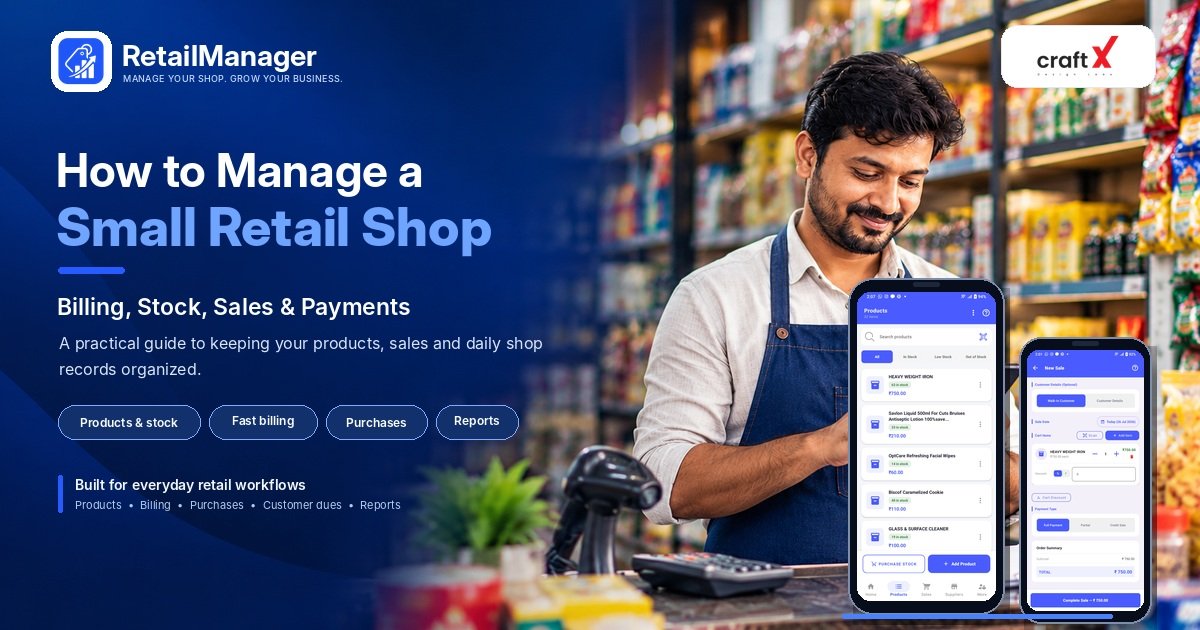
Learn how to manage a kirana store with practical steps for stock control, billing, supplier purchases, customer credit, expenses, and daily routines.

How to manage a kirana store efficiently is an important question for shop owners who want to keep daily operations organized, serve customers quickly, and understand how their business is performing.
A kirana store may handle hundreds of products, frequent supplier deliveries, cash and digital payments, customer credit, and daily stock changes. When these activities are managed only through memory or scattered notebooks, it becomes difficult to know which products need replenishment, how much customers owe, and where the shop's money is going.
The good news is that you do not need a complicated system to improve your store. A few consistent practices can help you manage products, billing, purchases, payments, and daily records more effectively.
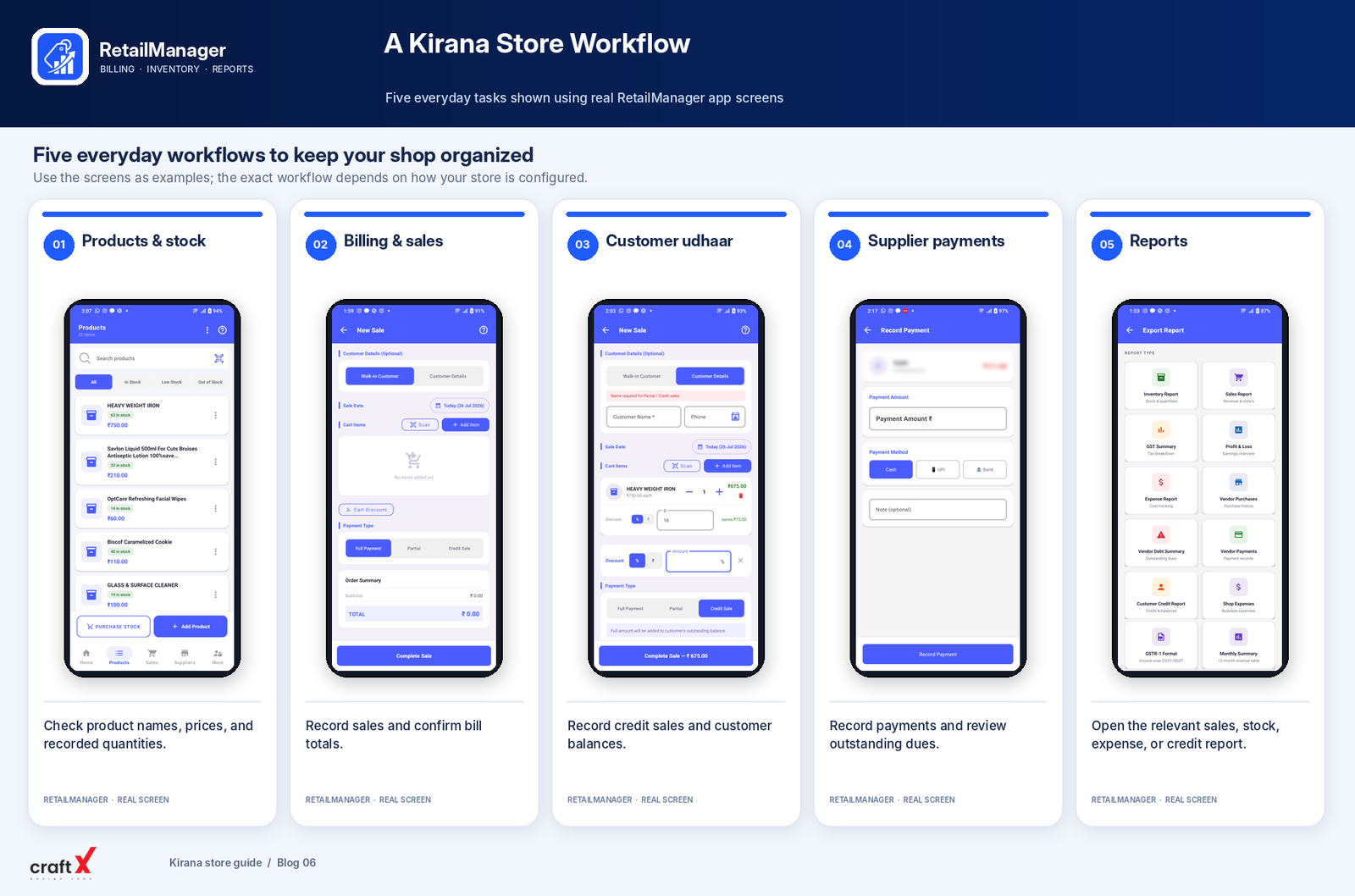
In this guide, we'll cover practical steps that kirana store owners can start using immediately.
1. Organize Your Products into Categories
Start by creating a clear list of the products you sell.
A typical kirana store may stock rice, flour, pulses, cooking oil, biscuits, snacks, beverages, cleaning products, personal care items, and other household essentials.
Organize products into categories that make sense for your store. This makes it easier to find items, conduct stock counts, and identify products that need replenishment.
For each product, record the details relevant to your business:
- Product name and category.
- Purchase cost and selling price.
- Available stock quantity.
- Product unit, such as pieces, packets, kilograms, or litres.
- Barcode or product code, where applicable.
- Supplier details, where useful.
Use consistent product names and units. For instance, avoid entering the same product under several different names, because this can make stock records difficult to reconcile.
Practical tip: Begin with the products customers purchase most frequently. Add the remaining product catalogue gradually rather than trying to organize everything in one sitting.
2. Identify Fast-Moving and Slow-Moving Products
Not all products sell at the same rate.
Some items need replenishment frequently, while others may remain on the shelf for weeks. Understanding this difference helps you plan purchases and avoid tying up too much money in stock that sells slowly.
Review your sales records and group products into three broad categories:
Fast-moving products: Items that sell regularly and need frequent stock checks.
Slow-moving products: Items that sell occasionally and may not need frequent replenishment.
Seasonal products: Items whose demand changes around festivals, weather conditions, school seasons, or local events.
For example, a shop may see different demand for cold beverages during summer and certain packaged foods during festival periods.
Do not rely entirely on memory when deciding what to reorder. Review actual sales and stock records, and consider supplier delivery times.
Your objective is to keep important products available without purchasing excessive quantities that may remain unsold.
3. Maintain Accurate Stock Records
One of the most important tasks in managing a kirana store is keeping recorded stock close to the quantity physically available.
Inventory changes whenever you receive goods, sell products, process returns, or identify damaged stock.
Use this basic calculation:
Closing stock = Opening stock + Stock received − Stock sold
Adjust the calculation for returns, damaged items, and other relevant stock movements.
For example, suppose your store starts the day with 50 packets of a product, receives another 30 packets, and sells 22 packets.
The expected closing stock is:
50 + 30 − 22 = 58 packets
If your records show 58 packets but a physical count finds only 55, investigate the difference. Possible reasons include unrecorded sales, damaged products, incorrect delivery quantities, or recording mistakes.
You do not necessarily need to count every product every day. Check fast-moving and important items frequently, and schedule broader physical counts based on your store's size and transaction volume.
Accurate stock records help you decide when to reorder products and investigate discrepancies before they become larger problems.
4. Plan Supplier Purchases Before Stock Runs Out
Waiting until a product is completely sold out can lead to missed sales. On the other hand, ordering too much can tie up working capital and create storage problems.
To plan purchases, review three things:
- How quickly the product normally sells.
- How much stock is currently available.
- How long the supplier takes to deliver.
Consider this example.
If your shop sells approximately six packets of a product per day and the supplier generally takes three days to deliver, you can expect demand of around 18 packets during that delivery period.
You might use this information to establish a reorder level, allowing an additional safety buffer where appropriate.
The exact reorder level depends on demand, current stock, supplier reliability, pending deliveries, and other stock movements.
It is also useful to maintain a list of regular suppliers, their usual delivery days, and the products you typically purchase from each one.
Practical tip: Review your stock before placing an order. Check what is already available and what is on the way, so you do not accidentally purchase the same goods twice.
5. Make Daily Billing Consistent
A clear billing process helps you record sales accurately and serve customers efficiently.
Whether your shop uses a bill book, calculator, spreadsheet, or billing application, make sure that product quantities, prices, discounts, and totals are recorded correctly.
As your shop grows, useful billing features may include:
- Quick product search.
- Barcode scanning where appropriate.
- Automatic invoice calculations.
- Discount handling.
- Support for the invoice types your business requires.
- Printing or digital invoice sharing.
For a shop with frequent small transactions, reducing unnecessary steps at the counter can help improve the customer experience.
If you use billing software, test its everyday workflow before relying on it. Make a sample bill, review the total, and confirm how the transaction affects your stock records.
For GST-related billing, verify that the software and configuration suit your business's applicable requirements.
6. Track Customer Credit and Udhaar
Many kirana stores maintain credit arrangements with regular customers. This is commonly known as udhaar or khata.
Credit can be convenient for customers, but unorganized records may lead to forgotten balances, confusion about payments, and difficulties managing the store's cash flow.
For every credit transaction, record:
- Customer name or identifier.
- Date and amount of the sale.
- Payment received, if any.
- Remaining outstanding balance.
- Subsequent payments and their dates.
For example, a customer purchases goods worth ₹1,200 and pays ₹500 immediately.
The remaining balance is:
₹1,200 − ₹500 = ₹700
When the customer pays later, record that payment against the outstanding amount.
It is also sensible to establish clear credit limits and payment expectations that suit your business. Review overdue balances regularly and speak to customers respectfully when a balance needs to be settled.
Do not confuse credit sales with cash collections. A sale may be recorded today even if the customer pays another day, so both records matter.
7. Manage Supplier Payments and Outstanding Dues
Just as customers may owe your shop money, your shop may owe money to suppliers for goods purchased on credit.
Maintain purchase records that show what was received, the amount payable, payments made, and the remaining balance.
For instance, if you receive a supplier delivery worth ₹8,000 and later pay ₹5,000, the outstanding amount is ₹3,000, assuming no other adjustments.
Keep the supplier record updated when you make the remaining payment.
Review upcoming supplier payments before placing additional orders. This helps you understand how much money is already committed and avoid making purchasing decisions without considering existing obligations.
8. Record Daily Expenses Separately
Running a kirana store involves operating costs in addition to the cost of products purchased for resale.
These may include shop rent, electricity, transport, packaging materials, repairs, communication, and other business expenses.
Record each expense with its date, description, category, amount, and payment method. Keep receipts or supporting documents where available.
For example, you might record ₹250 for business-related transport and ₹120 for packaging materials.
₹250 + ₹120 = ₹370 in recorded expenses
Be careful not to treat every stock purchase as an immediate operating expense. Goods purchased for resale need appropriate inventory records so that the cost of products actually sold can be calculated correctly.
At the end of the day, review your expenses and check for missing or duplicate entries.
For a more detailed explanation, read our guide on how to track daily expenses in a retail shop, if that article's public URL is available.
9. Build a Simple Daily Routine
A consistent routine can make store management easier without creating unnecessary paperwork.
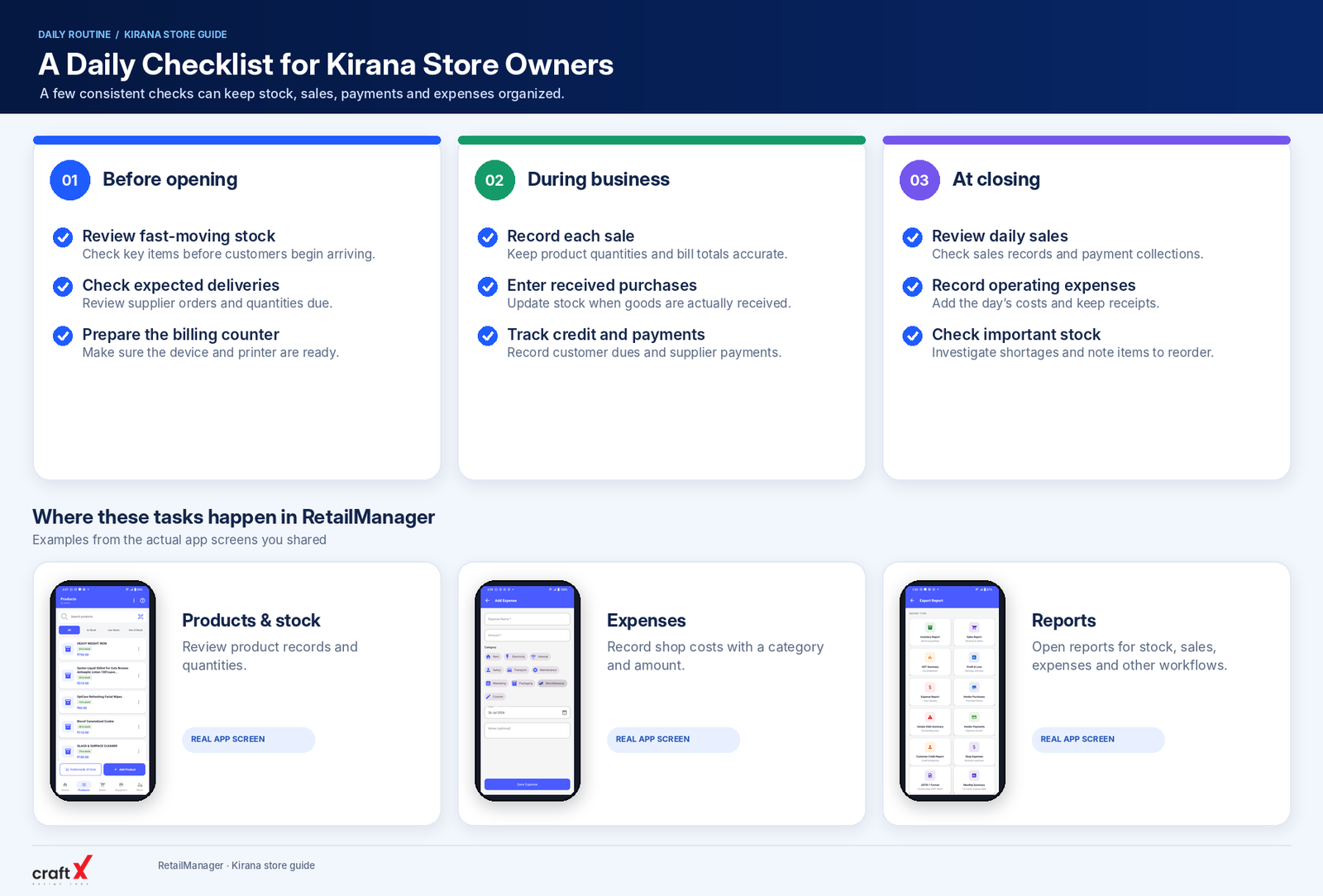
Before opening the shop
- Check that the billing counter is ready.
- Review important products that are running low.
- Check expected supplier deliveries.
- Review outstanding tasks from the previous day.
During business hours
- Record sales consistently.
- Update purchases when goods are received.
- Record customer payments and supplier payments.
- Keep product shelves organized.
- Set aside damaged goods and record necessary adjustments.
At closing time
- Review the day's sales and payment collections.
- Check important stock movements.
- Record outstanding customer or supplier transactions.
- Enter any remaining business expenses.
- Prepare a list of products to reorder.
Adapt the routine to your store's size and working hours. The goal is to make essential tasks repeatable rather than relying on memory alone.
10. Review Sales and Profit Regularly
Sales alone do not tell you how well your kirana store is performing.
You also need to understand the cost of products sold and the operating expenses incurred.
Review daily sales for operational awareness, but compare weekly and monthly results to identify more meaningful patterns.
Ask yourself:
- Which products sell most frequently?
- Which items remain in stock for too long?
- Are purchase costs changing?
- Are discounts affecting margins?
- Are customer balances increasing?
- Are operating expenses rising?
- Does recorded stock match the physical count?
For example, your total sales may increase while profit margins decline if a larger share of sales comes from lower-margin products or if costs increase.
For a step-by-step explanation with calculations, read our guide on how to calculate retail shop profit.
Can RetailManager Help Manage a Kirana Store?
 RetailManager is a retail management app designed to organize everyday workflows such as product and inventory management, billing and sales, purchases, customer records, supplier records and payments, and business reporting.
For kirana owners who want to move away from scattered records, these features can provide a more organized way to maintain product and transaction information.
Before adopting any software, check that its available features suit your store's workflow. Specialized requirements, such as detailed batch or expiry tracking, should be verified separately rather than assumed.
You can explore the app on Google Play:
Download RetailManager on Google Play
Frequently Asked Questions
How can I manage a kirana store more efficiently?
Start by organizing products, recording sales and purchases, checking stock levels, tracking customer credit and supplier payments, and reviewing daily expenses. A consistent routine can help keep these activities organized.
How often should I check stock in my kirana store?
Check fast-moving and critical products frequently. Conduct broader physical stock counts regularly based on the size of your shop, the number of transactions, and the types of products you sell.
How can I reduce stockouts in a kirana store?
Monitor sales, review current quantities, consider supplier delivery times, and establish sensible reorder levels for important products. Check pending deliveries before placing new orders.
How should I manage customer udhaar?
Record each credit sale and subsequent payment against the correct customer. Review outstanding balances regularly and establish clear credit limits and payment expectations.
Is inventory software useful for a small kirana store?
It can be useful when manual records become time-consuming, stock discrepancies are frequent, or you need clearer sales and purchase reports. Compare the available features and costs against your store's actual needs.
How can I understand whether my kirana store is profitable?
Review net sales, the cost of products sold, and operating expenses using consistent records. Compare weekly and monthly performance instead of relying on sales totals alone.
Final Thoughts
Managing a kirana store efficiently starts with knowing what you have in stock, recording what you sell, planning purchases carefully, and keeping customer and supplier payments organized.
You do not need to change everything at once. Begin with a reliable product list, consistent billing and purchase records, and a simple daily routine.
As the shop grows, consider whether retail management software can make these tasks easier to maintain and review.
The goal is to keep the store organized, serve customers reliably, and make better decisions using accurate business records.
- #Kirana Store
- #Grocery Store Management
- #Inventory Management
- #Retail Billing
- #Small Business