Billing & Sales
How to Track Daily Expenses in a Retail Shop
Learn how to track daily expenses in a retail shop, organize receipts, categorize costs, and review spending with a simple daily routine.
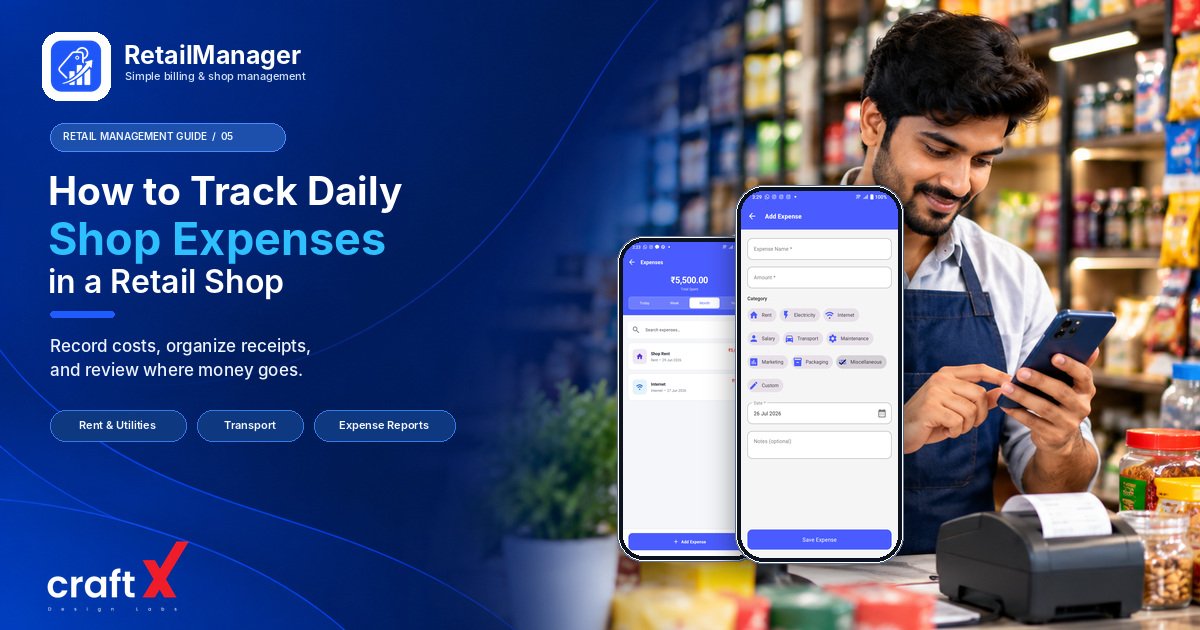
How to track daily expenses in a retail shop is an important question for every shop owner who wants to understand where business money goes. Sales records show how much your shop sells, but expense records help you understand how much it costs to keep the business running.
Rent, electricity, transport, packaging, repairs, staff costs, and other regular payments can add up over time. When these transactions are recorded only in memory or scattered across receipts and notebooks, it becomes difficult to review spending or calculate profit accurately.
The good news is that you do not need a complicated accounting process to get started. A consistent daily routine can help you organize expenses and maintain clearer business records.
In this guide, we'll explain which expenses to record, how to categorize them, how to avoid common mistakes, and how to review your shop's spending.
1. Understand What Counts as a Retail Shop Expense
The first step is to identify the types of costs your business regularly incurs.
Every shop is different, but common operating expenses include:
- Rent: The cost of the premises used for your shop.
- Utilities: Electricity, water, and other utility charges.
- Staff costs: Wages and other applicable employee-related costs.
- Transport and delivery: Business-related travel and the movement of goods.
- Packaging: Bags, boxes, wrapping materials, and other supplies.
- Repairs and maintenance: Costs associated with maintaining equipment and shop facilities.
- Communication: Business phone, internet, and related services.
- Payment and service fees: Applicable charges for payment services or other business services.
- Other operating costs: Additional expenses incurred while running the shop.
Record expenses that genuinely relate to your business, and use categories that make sense for your operations.
One important distinction is that buying products for resale is not necessarily the same as an operating expense. Inventory purchases need to be recorded appropriately so that the cost of goods sold and remaining stock can be calculated correctly.
For example, if you purchase ₹10,000 worth of products to sell, do not automatically treat the entire purchase as the cost of products sold that day. Some of those goods may remain unsold in your inventory.
Maintaining separate, consistent records for inventory purchases and operating expenses helps avoid double-counting costs.
2. Record Every Business Expense as It Happens
A simple habit can make a big difference: record a business expense when the payment happens or when the expense is incurred, according to the recordkeeping method you use.
Do not rely entirely on your memory at the end of the day. Small payments can easily be forgotten when a shop is busy.
For every expense, try to record the following information:
- Date of the transaction.
- Description of what was paid for.
- Expense category.
- Amount.
- Payment method.
- Receipt, bill, or other supporting document, where available.
For example, if you spend ₹250 on business-related transport, record the date, purpose, amount, and payment method.
A clear description such as "Transport for supplier collection" is more useful than a vague entry such as "Miscellaneous."
Keep receipts and invoices organized where applicable. These documents help you verify entries when reviewing transactions or preparing accounting records.
3. Use Consistent Expense Categories
Expense categories make it easier to understand where your shop's money is going.
Imagine you record electricity, transport, packaging, and repairs under one general category called "Other." You may know how much you spent in total, but you will struggle to identify which costs are increasing.
Instead, create a small, consistent list of categories.
For example:
| Expense category | Example |
|---|---|
| Rent | Monthly shop rent |
| Utilities | Electricity bill |
| Staff | Employee wages |
| Transport | Business delivery costs |
| Packaging | Bags and packing materials |
| Repairs | Equipment maintenance |
| Communication | Business phone and internet |
| Other | Expenses that do not fit your regular categories |
Use the same categories from month to month whenever possible. This makes comparisons more meaningful.
Avoid creating too many categories at the beginning. Start with the main types of expenses you actually incur and add more detail when it helps you make better decisions.
4. Calculate Your Daily Expenses
Once you begin recording expenses consistently, you can calculate the total amount recorded for a particular day.
The basic formula is:
Total daily expenses = Sum of the expenses recorded for the day
Consider this simplified example:
| Expense | Amount |
|---|---|
| Transport | ₹250 |
| Packaging materials | ₹120 |
| Minor repairs | ₹180 |
| Business phone expense allocated to the day | ₹30 |
| Total recorded expenses | ₹580 |
The total for this example is:
₹250 + ₹120 + ₹180 + ₹30 = ₹580
The daily phone expense in this example is an allocated amount, not necessarily a payment made on that day. If you are preparing daily profit estimates, recurring costs such as monthly bills may need to be allocated consistently across the period they relate to.
For a simple cash record, you may instead total the payments actually made that day. Just be clear about which number you are reviewing: expenses incurred, payments made, or an allocated daily cost.
These numbers can differ. A shop might pay a monthly bill today even though the service covers a longer period, or it might incur an expense and pay it later.
5. Review Your Expenses at the End of Each Day
Recording expenses is only the first step. You should also review the records to check that they are complete and understandable.
A simple end-of-day routine can include:
- Collect receipts and bills from the day's transactions.
- Enter any expenses that have not yet been recorded.
- Check that the amounts and descriptions are correct.
- Confirm that expenses are assigned to appropriate categories.
- Review the total and note any unusually large payment.
- Keep supporting documents organized for later reference.
If a payment is unclear, investigate it rather than automatically placing it in a general category.
This process does not need to take long. The aim is to prevent small recording mistakes from accumulating and making your monthly review difficult.
6. Compare Expenses Across Weeks and Months
Daily records are useful, but reviewing a longer period often reveals more meaningful patterns.
For example, you may notice that electricity costs increase during a particular season, transport costs rise when supplier deliveries are less frequent, or repair expenses have become unusually high.
At the end of each week or month, compare your expense categories and ask:
- Which expenses account for the largest share of spending?
- Have any costs increased compared with the previous period?
- Are there recurring services you no longer need?
- Are transport and packaging costs reasonable for your business?
- Were any unusually large payments recorded?
- Are receipts or supporting records missing?
Use these comparisons to identify areas worth investigating.
Do not assume that every increase is a problem. Expenses may rise because your business is growing, prices have changed, or more work is being completed. Look at the circumstances before deciding whether to make changes.
7. Avoid Common Expense-Tracking Mistakes
Even a simple expense system can become unreliable if records are inconsistent.
Mixing personal and business spending
Keep business expenses distinguishable from personal purchases. If a transaction contains both, record the business portion according to your accounting process and retain supporting details.
Forgetting small payments
Small purchases may seem unimportant individually, but their combined amount can be significant. Record legitimate business expenses consistently rather than tracking only large bills.
Recording the same expense twice
A payment may appear in a bank statement, a receipt folder, and a notebook. Check existing entries before adding a new transaction to avoid duplication.
Treating every purchase as an immediate expense
Products purchased for resale need appropriate inventory records. Treating all purchases as operating expenses can distort estimates of cost of goods sold and profit.
Ignoring outstanding bills
A bill can be incurred before it is paid. Your chosen recordkeeping method should help you distinguish what has been paid from what remains outstanding.
Failing to review the records
Even well-organized entries may contain errors. Regularly compare records with receipts, payment statements, and other supporting documents.
8. Use a Simple Routine to Stay Consistent
You can make expense tracking easier by assigning a small task to each part of your working routine.
During the day
- Record each business expense.
- Keep the receipt or supporting document.
- Use a consistent category and description.
At closing time
- Review missing entries.
- Check payment amounts.
- Calculate the total for the day.
- Investigate unusual transactions.
At the end of the week
- Review the expense categories.
- Check unpaid bills and recurring costs.
- Correct errors you discover.
At the end of the month
- Compare categories with the previous month.
- Review recurring expenses.
- Organize records for accounting and tax preparation where applicable.
Choose a method you can maintain reliably. A simple process followed every day is generally more useful than a complicated system that is regularly neglected.
How RetailManager Can Help Organize Expense Records
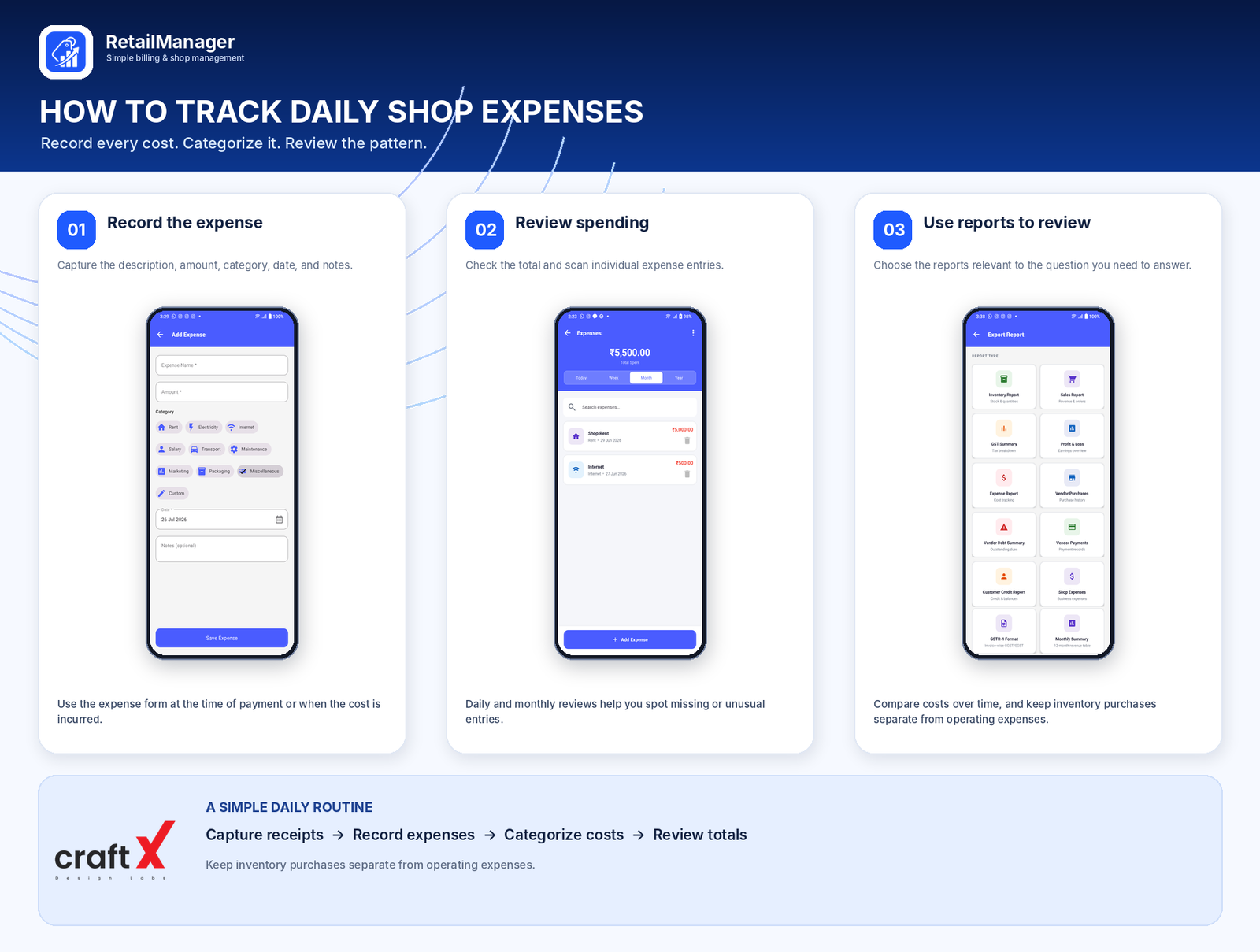 Keeping expense details in notebooks, receipts, and separate documents can become time-consuming as a shop grows.
RetailManager includes expense-related workflows alongside other retail management activities, helping shop owners organize relevant business records within the app. The available features and reports depend on the current app version and plan.
To get useful results, record expenses consistently, use appropriate categories, and keep the necessary supporting documents. A software report is only as reliable as the information entered into the system.
You can explore RetailManager on Google Play to review its available features.
If you also want to understand how expenses affect your bottom line, read our guide on how to calculate retail shop profit.
Frequently Asked Questions
How do I track daily expenses in a retail shop?
Record each business expense with its date, description, category, amount, payment method, and supporting document where available. Review the entries at the end of the day and total the relevant transactions.
Can I track retail shop expenses in a notebook or spreadsheet?
Yes. A notebook or spreadsheet can work for a small shop when records are maintained consistently. As the number of transactions grows, you may find a dedicated expense-tracking or retail management system easier to manage.
What is the difference between expenses and inventory purchases?
Operating expenses include costs such as rent, utilities, and transport. Inventory purchases are goods acquired for resale and need to be recorded so that stock and cost of goods sold are calculated appropriately.
Should daily expenses be compared with daily sales?
They can be reviewed together, but the comparison needs care. Daily cash payments may include bills that cover a longer period, and product costs depend on the goods actually sold. For a more meaningful profit estimate, use consistent accounting methods and accurate inventory records.
How often should I review shop expenses?
Record transactions as they occur, review them at the end of the day, and compare totals weekly or monthly. The appropriate frequency depends on your transaction volume and business needs.
Final Thoughts
Tracking daily expenses is a practical way to understand the costs of running your retail shop.
Start by recording every relevant business expense, organizing it into a consistent category, and keeping supporting documents. Review your daily entries and compare weekly and monthly totals to identify unusual changes.
As your business grows, consider whether a retail management app can make recordkeeping and reporting more convenient.
The goal is not simply to spend less. It is to understand where your money goes, recognize unnecessary costs, and maintain accurate records that support better business decisions.
- #Expense Management
- #Retail Expenses
- #Small Business,
- #Shop Management
- #Financial Records