Inventory & Purchasing
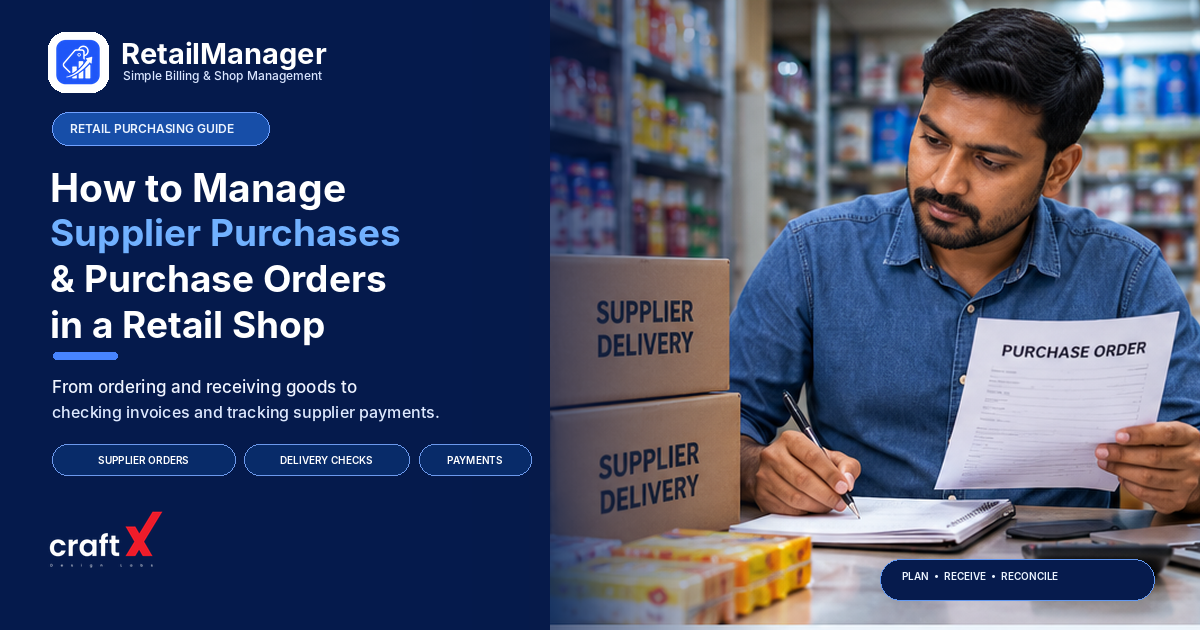
How to Manage Supplier Purchases and Purchase Orders in a Retail Shop
A practical guide to managing supplier purchases in a retail shop, creating purchase orders, checking deliveries, comparing invoices, and tracking payments.
How to Manage Supplier Purchases and Purchase Orders in a Retail Shop
Running a retail shop involves more than selling products. Shop owners must also decide what to purchase, which suppliers to work with, how much to order, and when to make payments.
Without a clear purchasing process, a shop may receive fewer products than expected, pay a higher price than agreed, duplicate an order, or lose track of outstanding supplier payments.
Good purchase order management for retail shops helps prevent these problems by creating a clear record of what the shop intends to buy, what the supplier delivers, and what the business owes.
Whether you operate a grocery store, pharmacy, hardware shop, fertilizer business, or mobile accessories store, a consistent purchasing process can help you control costs and keep business records organised.
1. Maintain a Record of Every Supplier
Start by maintaining a separate record for each supplier you purchase from. Relying on phone contacts, WhatsApp conversations, or memory alone can make it difficult to find important purchasing information later.
Your supplier record should include:
- Supplier or business name
- Contact person and phone number
- Products or categories supplied
- Agreed purchase prices and price-list dates
- Typical delivery time
- Minimum order quantity, if applicable
- Payment terms and due dates
- Return, replacement, and damaged-goods policies
For example, a hardware shop may purchase electrical accessories from one distributor and plumbing materials from another. Keeping their prices, order history, and payment terms separate makes it easier to compare offers and identify the right supplier for each purchase.
Review supplier details when prices, delivery arrangements, or payment terms change. Record significant changes rather than relying on verbal conversations alone.
2. Choose Suppliers Based on More Than Price
The lowest quoted price is not always the best deal. A supplier may offer a discount but deliver late, provide inconsistent product quality, or require quantities that are too large for your shop.
When evaluating suppliers, consider:
Purchase price: Compare the actual price for the same product, unit, specification, and quantity.
Product quality: Check whether goods consistently meet the quality you expect and what your customers require.
Delivery reliability: Consider whether the supplier delivers within the agreed time and communicates delays.
Order requirements: Check minimum order quantities, transport charges, and other conditions that affect the total cost.
Payment terms: Understand when payment is due and whether credit terms are available.
Returns and replacements: Clarify what happens when goods arrive damaged, incorrect, expired, or different from the order.
For instance, a supplier offering a slightly lower price may not provide enough value if frequent delivery delays force you to make urgent, more expensive purchases elsewhere.
Keep basic records of supplier performance. Over time, these records can help you make better purchasing decisions instead of choosing suppliers based only on habit.
3. Understand What a Purchase Order Is
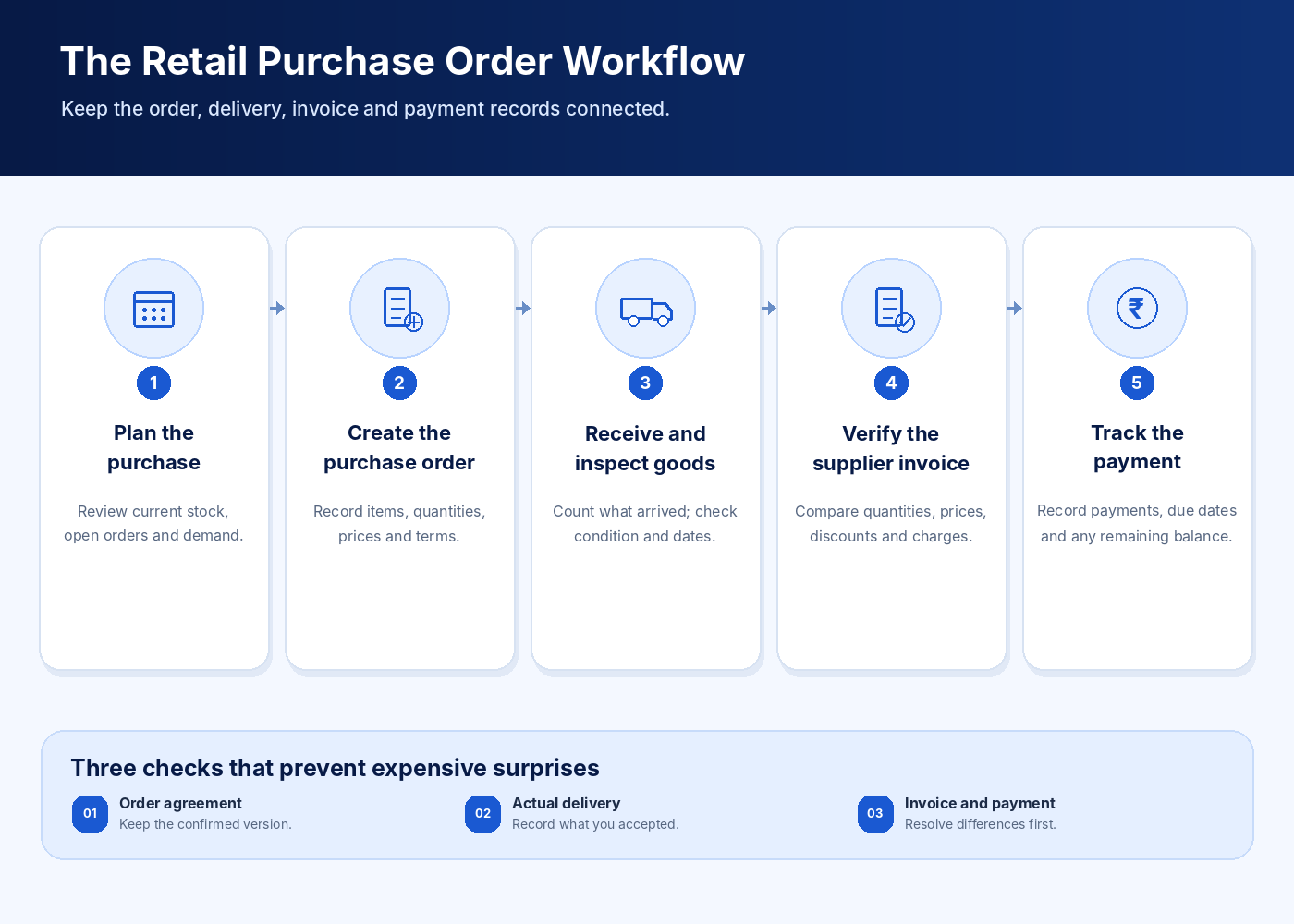
A purchase order, often called a PO, is a document created by the buyer that records the products and quantities they intend to purchase from a supplier at agreed terms.
It is different from a supplier invoice.
A purchase order records what you requested. The supplier's invoice records what the supplier is billing you for. Checking both against the goods actually received helps you identify differences before completing the purchase records or making payment.
A purchase order should normally include:
- Purchase order number and date
- Supplier name
- Product names, codes, and descriptions
- Ordered quantities and units
- Agreed unit prices
- Applicable discounts and taxes, where relevant
- Expected delivery date
- Delivery location
- Agreed payment terms
- Special instructions, if any
Suppose a mobile accessories shop orders 50 charging cables at an agreed price of ₹120 each. The purchase order records the product, quantity, price, and expected delivery.
If the supplier later sends only 45 cables or charges ₹135 per cable, the shop has a written reference for checking the difference.
For a small shop, a simple numbered document or properly maintained digital record may be sufficient. The important point is to record the agreement before the goods arrive, especially for larger or recurring orders.
4. Prepare Orders Based on Business Needs
Purchasing should be planned rather than left entirely to memory or a supplier's suggestions.
Before placing an order, review the products that need replenishing, the quantities already available, pending orders, recent sales, and any upcoming seasonal demand.
Ask yourself:
- Which products need to be purchased now?
- How much stock is already available?
- Is another order for the same product still pending?
- What quantities can the shop reasonably sell?
- How much money can the business allocate to the purchase?
- Does the supplier have a minimum order requirement?
Consider a shop that sells different brands of packaged products. One brand may sell quickly while another moves slowly. Ordering the same quantity of both brands simply because the supplier offers a bulk discount could tie up money in products that take longer to sell.
Plan quantities using your own sales and stock records, not just the supplier's recommendations.
For practical guidance on handling stock records, see our article on how to prevent stockouts in a retail shop.
5. Confirm the Order and Keep a Reference
After deciding what to purchase, send the order details to the supplier and retain a copy of the final agreement.
Many small retailers place orders by phone or WhatsApp. These methods may be convenient, but important details can be missed when product quantities and prices are discussed across several messages.
After a conversation, send a written summary confirming the products, quantities, prices, delivery date, and payment terms.
Assign a unique purchase order number when practical. For example, a shop could use a format such as PO-2026-001 for its first recorded order of the year.
Use the same reference when communicating with the supplier, checking the delivery, and filing the related invoice.
Before placing an additional order, check whether the same products are already included in an open order. This helps reduce accidental duplicate purchases.
6. Check the Delivery Before Recording It as Complete
Receiving goods is one of the most important stages of purchasing. Do not assume that everything listed on the purchase order has arrived just because the supplier has delivered a shipment.
Compare the delivery with your order and the supplier's delivery documents.
Check the following:
- Product names, variants, and codes
- Quantity received for each item
- Packaging and visible condition
- Expiry dates or batch details where relevant
- Items that are missing, incorrect, or damaged
- Whether the delivery includes all or only part of the order
For example, suppose a pharmacy orders 100 units of a particular product but receives only 90. The receiving record should show the actual quantity received, while the remaining 10 units should be followed up with the supplier.
Do not record the full 100 units as received if only 90 arrived. Incorrect receiving records can cause problems when reconciling physical stock, invoices, and supplier balances.
For perishable, regulated, or expiry-sensitive goods, follow the relevant storage, acceptance, and traceability procedures for your business.
7. Handle Partial Deliveries and Missing Items Properly
Suppliers sometimes deliver products in multiple shipments because certain items are unavailable or transportation is delayed.
A partial delivery does not necessarily mean the entire order should be cancelled. Instead, maintain a clear record of what arrived and what remains pending.
For example:
| Item | Ordered | Received | Pending |
|---|---|---|---|
| Product A | 50 | 50 | 0 |
| Product B | 40 | 30 | 10 |
| Product C | 20 | 18 | 2 |
| Total units | 110 | 98 | 12 |
This illustrative example shows that 98 units have arrived and 12 remain pending.
Confirm with the supplier whether the remaining items will be delivered later, substituted with your approval, or cancelled. Update the order record accordingly.
If the supplier cannot fulfil the remaining quantity, keep a record of the agreed resolution. This helps prevent confusion when the next invoice or payment statement arrives.
The same process is useful when a supplier sends an incorrect product, a damaged item, or a quantity that differs from the agreed order.
8. Compare the Purchase Order, Delivery, and Invoice
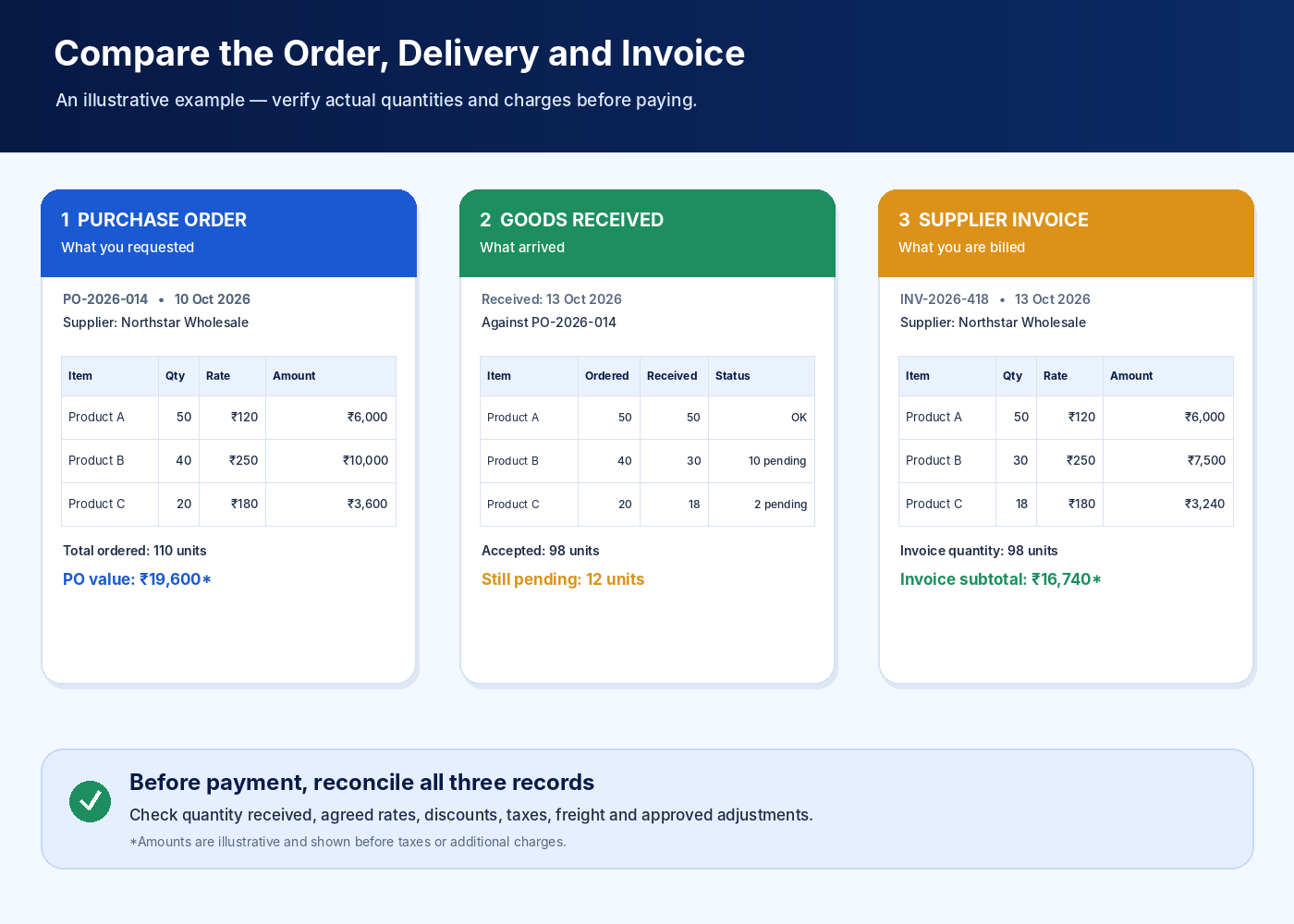
Before recording an invoice as settled, compare three things:
- Purchase order: What products, quantities, prices, and terms were agreed?
- Goods received: What was actually delivered and accepted?
- Supplier invoice: What quantities, prices, taxes, and charges is the supplier billing?
For example, imagine you ordered 40 units at ₹250 per unit. The purchase order value before applicable taxes and other charges is ₹10,000.
If the supplier invoice lists 40 units at ₹270 each, the billed value becomes ₹10,800 before those additional amounts. The ₹800 price difference should be checked before you accept the invoice as correct.
Possible reasons include a price revision, a data-entry error, or a difference between the agreed and invoiced product.
Also check applicable discounts, transport charges, taxes, and credit notes. For tax invoices, follow the documentation requirements that apply to your business and consult your accountant when necessary.
If something does not match, contact the supplier and retain the supporting record. Resolving discrepancies before payment is generally easier than trying to reconstruct the details later.
9. Track Supplier Payments and Outstanding Balances
After checking a purchase and its invoice, record the supplier's payment terms and payment status.
A supplier may require payment immediately, after a specified period, or according to an agreed credit arrangement. Record the actual terms for each supplier instead of assuming that all suppliers follow the same schedule.
Maintain a record containing:
- Supplier invoice reference and date
- Invoice amount
- Payments already made
- Credit notes or approved adjustments
- Remaining amount payable
- Agreed payment due date
- Payment date and transaction reference
For example:
| Description | Amount |
|---|---|
| Supplier invoice | ₹15,000 |
| Payment already made | ₹5,000 |
| Remaining payable | ₹10,000 |
This is a simplified example that assumes no other adjustments.
Review supplier balances regularly and compare them with supplier statements when available. If a supplier's statement differs from your records, check for missing invoices, unrecorded payments, returns, or credit notes.
Keep proof of payments made through cash, UPI, bank transfer, cheque, or other accepted methods according to your normal business record-keeping process.
10. Avoid Buying Too Much Just to Get a Discount
Bulk discounts can be useful, but only when the additional quantity makes business sense.
Suppose a supplier offers a discount if you purchase 200 units instead of 100. Before accepting, consider whether those extra units are likely to sell, whether they could expire or become outdated, and how much cash will remain available for other business needs.
Compare the discount with the costs and risks of holding additional stock.
This is especially important for businesses selling products with expiry dates, changing models, seasonal demand, or frequent price changes.
A smaller order may sometimes be more practical than a larger discounted purchase. Make the decision based on expected sales, storage capacity, cash availability, and the supplier's terms.
11. Build a Simple Purchasing Routine
You do not need a complicated procurement department to manage purchases well. A repeatable routine can make a meaningful difference even in a small retail business.
Before placing an order: Review stock and pending orders, confirm quantities, compare supplier terms, and prepare the purchase order.
When the supplier confirms: Save the agreed prices, quantities, delivery date, and order reference.
When goods arrive: Count and inspect the delivery, record the quantity actually accepted, and flag missing or damaged goods.
When the invoice arrives: Compare it with the agreed order and the accepted delivery before recording the amount payable.
When making payment: Record the amount paid, update the outstanding balance, and retain the payment reference.
At the end of each week: Review pending deliveries, disputed invoices, supplier balances, and payments approaching their due dates.
Assign clear responsibility if employees place orders, receive deliveries, or record payments. Everyone involved should know which records must be updated at each stage.
12. When Should You Use Digital Purchasing Records?
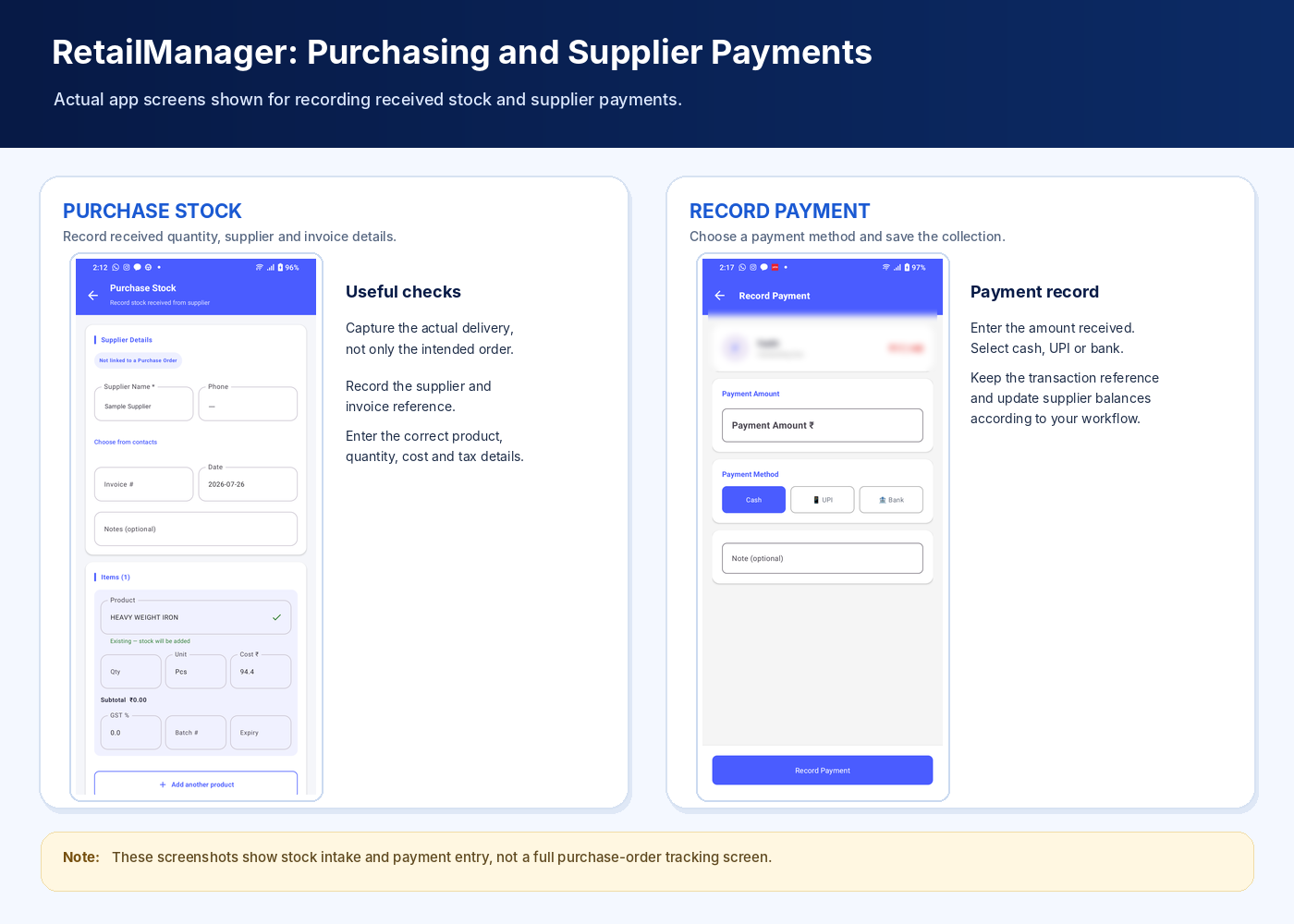
Paper records may be sufficient when a shop places only a few orders. As the number of suppliers and purchases increases, it can become difficult to search old orders, identify pending deliveries, and reconcile invoices manually.
A digital system can help organise purchase records, but the features available vary between applications.
Before choosing a retail-management system, check whether it supports the functions you need, such as:
- Supplier records and purchase history
- Purchase orders and order status
- Recording full or partial deliveries
- Purchase invoices and stock updates
- Supplier payments and outstanding balances
- Searchable reports and downloadable records
Do not assume that every billing or inventory application supports every purchasing feature. Confirm the functionality before building your workflow around it.
For a broader comparison of record-keeping options, read our guide on manual stock registers versus inventory software.
Conclusion
A reliable purchasing process helps a retail shop keep better control over supplier orders, deliveries, invoices, and payments.
Start by maintaining supplier records, comparing offers carefully, and documenting each order. Check deliveries against what was agreed, record partial deliveries correctly, verify invoices, and keep supplier balances up to date.
These practices can benefit grocery stores, pharmacies, hardware shops, fertilizer retailers, mobile accessory stores, and many other businesses.
As your shop grows, consider whether digital purchasing records could help you manage more suppliers and transactions without adding unnecessary administrative work.
Looking to improve your shop's daily operations? Explore RetailManager on Google Play to review its current retail-management features and determine whether they match your business requirements.
- #Purchase Orders
- #Supplier Management
- #Retail Purchasing
- #Inventory Management
- #Small Business Tips