Inventory & Purchasing
Manual Stock Register vs Inventory Software for Small Shops
Manual stock register vs inventory software: compare cost, accuracy, stock tracking, and billing to choose the right system for your shop.
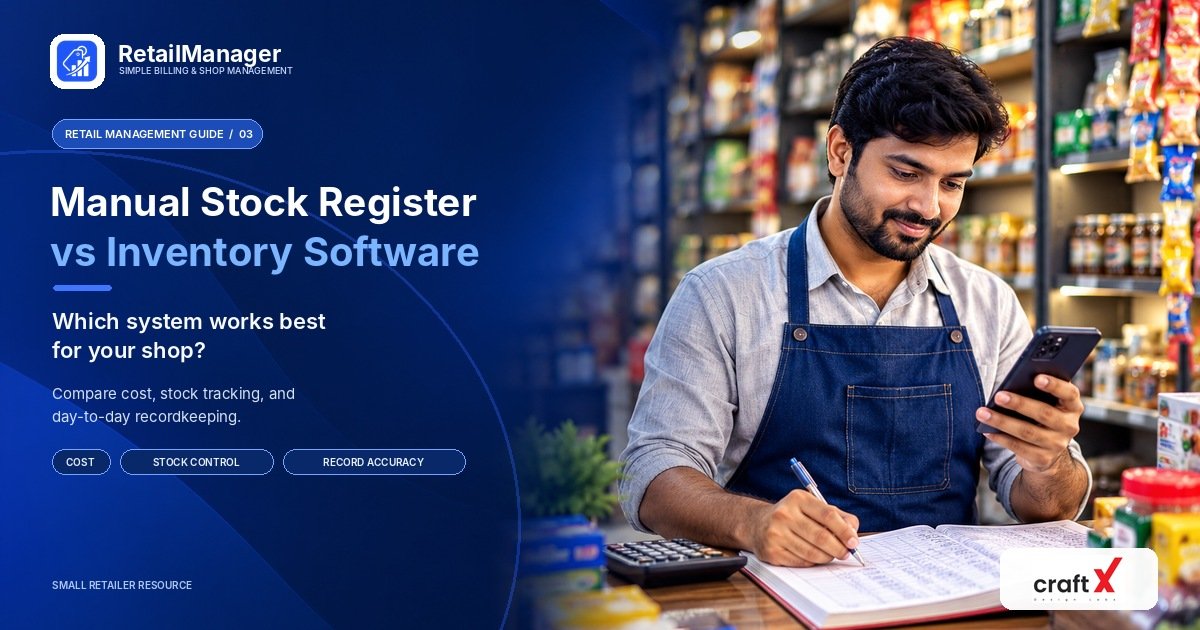
Manual stock register vs inventory software: which option is right for your shop?
Every retail business needs a reliable way to track products, monitor stock levels, record purchases, and know when items need to be reordered. Choosing the right system can help you maintain accurate records and manage your shop more efficiently.
Many shop owners start with a notebook or stock register. It is simple, familiar, and inexpensive. But as the business grows, maintaining records manually can become time-consuming.
This raises an important question: should you continue using a manual stock register, or switch to inventory management software?
In this guide, we'll compare both approaches, explain their advantages and limitations, and help you choose a system that suits your shop.
1. What Is a Manual Stock Register?
A manual stock register is a notebook or paper record used to track products and stock movements.
Shop owners or employees update it whenever stock is received, sold, returned, damaged, or adjusted.
A typical stock register may include:
- Product name and code
- Opening stock quantity
- Quantity purchased or received
- Quantity sold
- Damaged or returned quantity
- Closing stock quantity
- Purchase price and selling price, where relevant
For example, a shop starts the day with 40 units of a product, receives another 15 units, and sells 12 units.
The expected closing stock is:
Opening stock + Stock received − Stock sold = Closing stock
40 + 15 − 12 = 43 units
This method works when records are updated consistently and stock movements are straightforward.
However, the shop owner must keep the information accurate, calculate the quantities correctly, and check that the recorded stock matches the products physically available.
2. What Is Inventory Management Software?
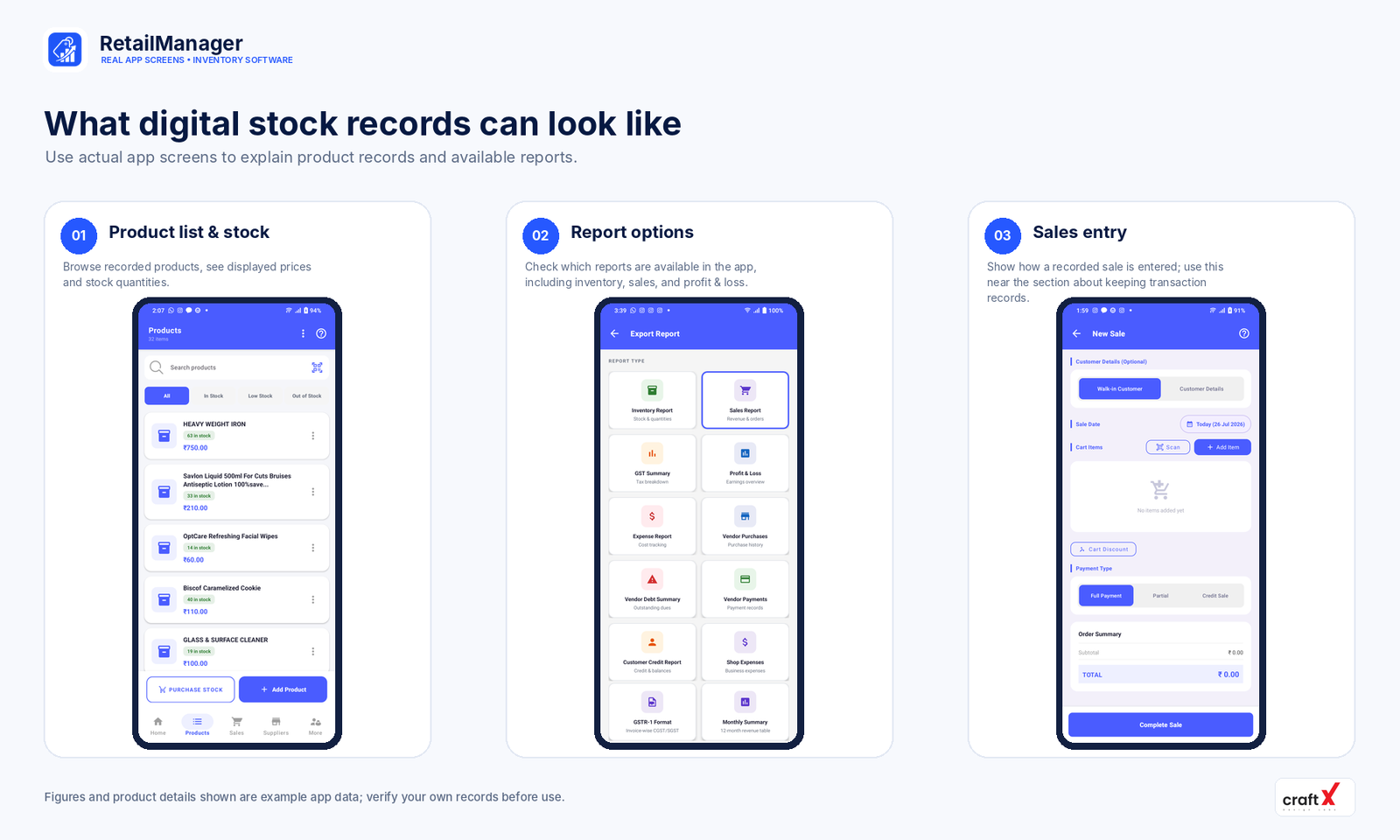 Inventory management software allows a business to maintain product records digitally and track stock-related activities through an application or computer system.
Depending on the software, it may support product categories, stock quantities, purchase entries, sales, reports, and low-stock notifications.
Instead of maintaining separate handwritten records, a shop owner can manage relevant information in one system.
For example, when a sale is recorded in software that updates inventory as part of that workflow, the shop's recorded stock can be reduced accordingly. When new stock is entered through a purchase workflow, the recorded inventory can be updated to reflect the goods received.
The accuracy of the result still depends on correct product setup, complete transaction records, and appropriate handling of returns, damage, and adjustments.
Inventory software does not remove the need for physical stock checks. It helps you maintain and review the records used to manage your stock.
3. Manual Stock Register vs Inventory Software
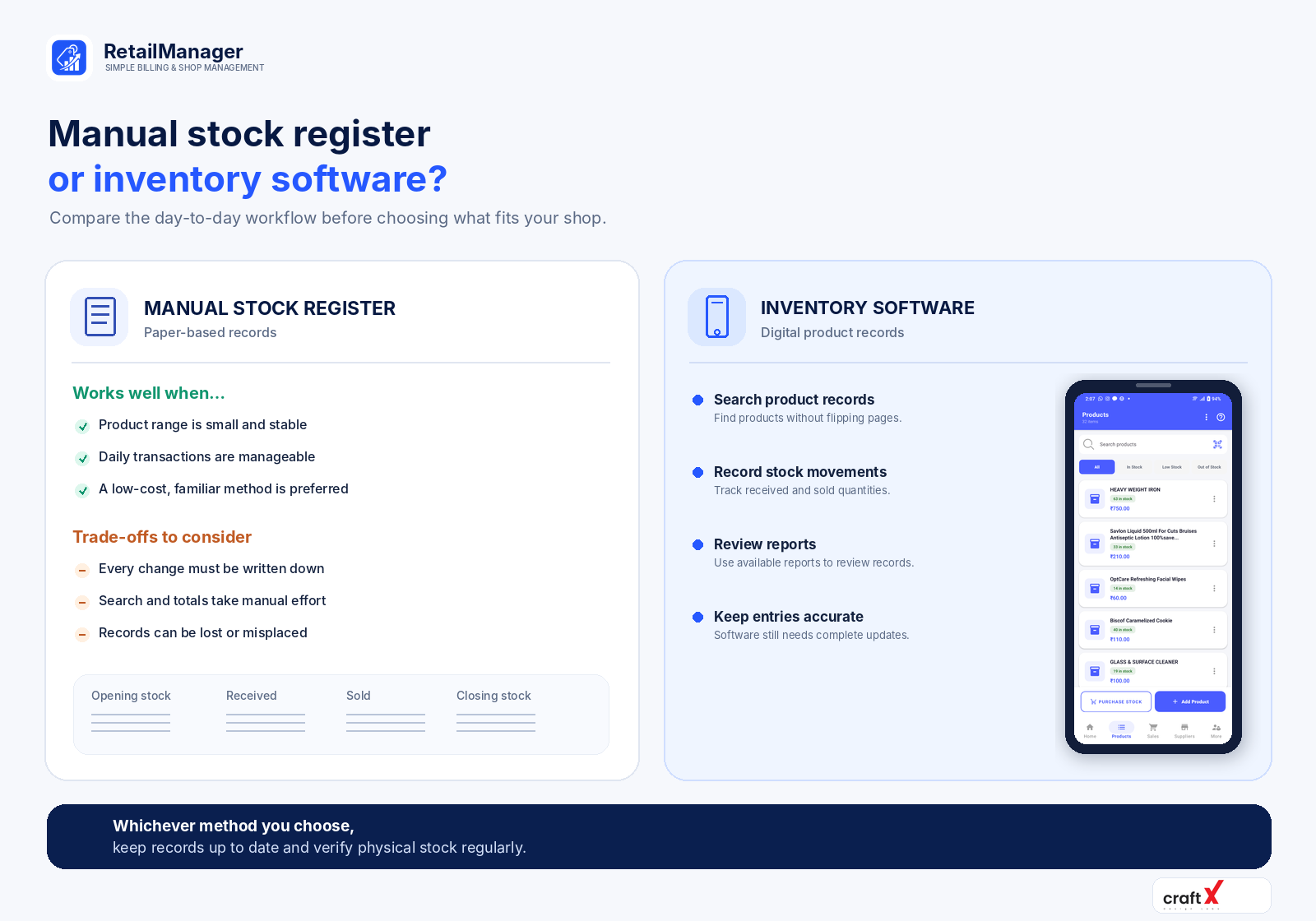 Both approaches can work, but they suit different business situations.
| Comparison | Manual stock register | Inventory software |
|---|---|---|
| Initial cost | Usually inexpensive | Depends on the product, plan, and setup |
| Recordkeeping | Written and updated manually | Product records maintained digitally |
| Stock calculations | Require manual updates and calculations | Can calculate stock changes through supported workflows |
| Searching products | Requires checking written records | Search tools may make records easier to find |
| Purchase tracking | Recorded in a register or separate documents | Purchase records can be maintained in the system |
| Sales tracking | Requires consistent manual recording | Can connect recorded sales to stock and reports |
| Reporting | Requires manual counting and calculations | Supported reports can summarize recorded information |
| Human error | Writing and calculation mistakes are possible | Incorrect entries and missed transactions can still cause errors |
| Access and backup | Paper can be damaged or misplaced | Depends on storage, backup, export, and access options |
| Learning required | Familiar for many shop owners | Staff may need time to learn the software |
The important difference is not that one method is always right and the other is always wrong. It is how effectively each method supports the number of products, transactions, and people involved in running the shop.
4. When Is a Manual Stock Register Enough?
A manual register may be suitable if your shop has a small range of products, relatively few transactions, and a simple purchasing process.
For example, a small stationery shop with a limited number of products may be able to maintain accurate records in a notebook without too much effort.
Manual records can also be useful as a temporary backup or for recording stock counts during a physical inventory check.
However, a manual process becomes harder to maintain when:
- The number of products grows.
- Several employees handle sales and stock.
- Purchases and sales happen frequently.
- You need to find product information quickly.
- Customer credit and supplier records are maintained separately.
- Calculating daily or monthly performance takes too much time.
If you spend a significant amount of time updating registers, reconciling different records, or investigating discrepancies, it may be worth evaluating a digital system.
5. Signs That Your Shop May Need Inventory Software
You do not need to wait until your business becomes large before considering software.
Here are some practical signs that your current method may no longer be sufficient.
You frequently run out of products
If you discover that a product is out of stock only when a customer asks for it, your records may not be giving you enough visibility.
A digital system with suitable low-stock features can help you identify products that need attention.
Your stock records don't match the actual quantities
Differences between recorded and physical stock can occur because of unrecorded sales, damaged products, incorrect purchase quantities, returns, or data-entry mistakes.
Software can make stock movements easier to review, provided transactions and adjustments are recorded accurately.
You struggle to track purchases
If purchase details are stored separately from product records, it may take extra effort to understand what was ordered, what was received, and how much stock should be available.
A system that supports purchase entries linked to product records can help organize this information.
You need reports but calculate everything manually
When your records are scattered across notebooks, checking performance over a week or month may require additional calculations.
Inventory and retail management software may make supported reports easier to access without rebuilding the entire report manually each time.
You want multiple records in one place
If product details, sales, purchases, customer balances, and supplier payments are maintained separately, it becomes harder to see how the different activities relate to your business.
A suitable retail management app can help organize these workflows within a single system.
6. How to Choose the Right Inventory Software
Before choosing software, think about your shop's daily workflow rather than selecting a product based only on the number of features it advertises.
Consider these questions:
Does it support your product range?
Check whether you can add products, organize categories, record prices, use appropriate units, and track quantities.
Can it handle your daily sales and purchases?
Make sure its stock records reflect the sales and purchase workflows you actually use.
Does it provide useful reports?
Look at the reports available and whether they help you answer practical questions about sales, inventory, expenses, and business performance.
Is it easy for your staff to use?
A system that is too complicated may be difficult to maintain consistently. Test the everyday steps your staff will perform.
What happens when something goes wrong?
Understand its backup and export options, data-access controls, recovery process, and what happens if your device or internet connection becomes unavailable.
Does the total cost make sense?
Compare subscription charges, setup costs, hardware requirements, training, and any fees for additional features.
The right system should solve real problems without adding unnecessary complexity or expense.
7. How to Move from a Manual Register to Software
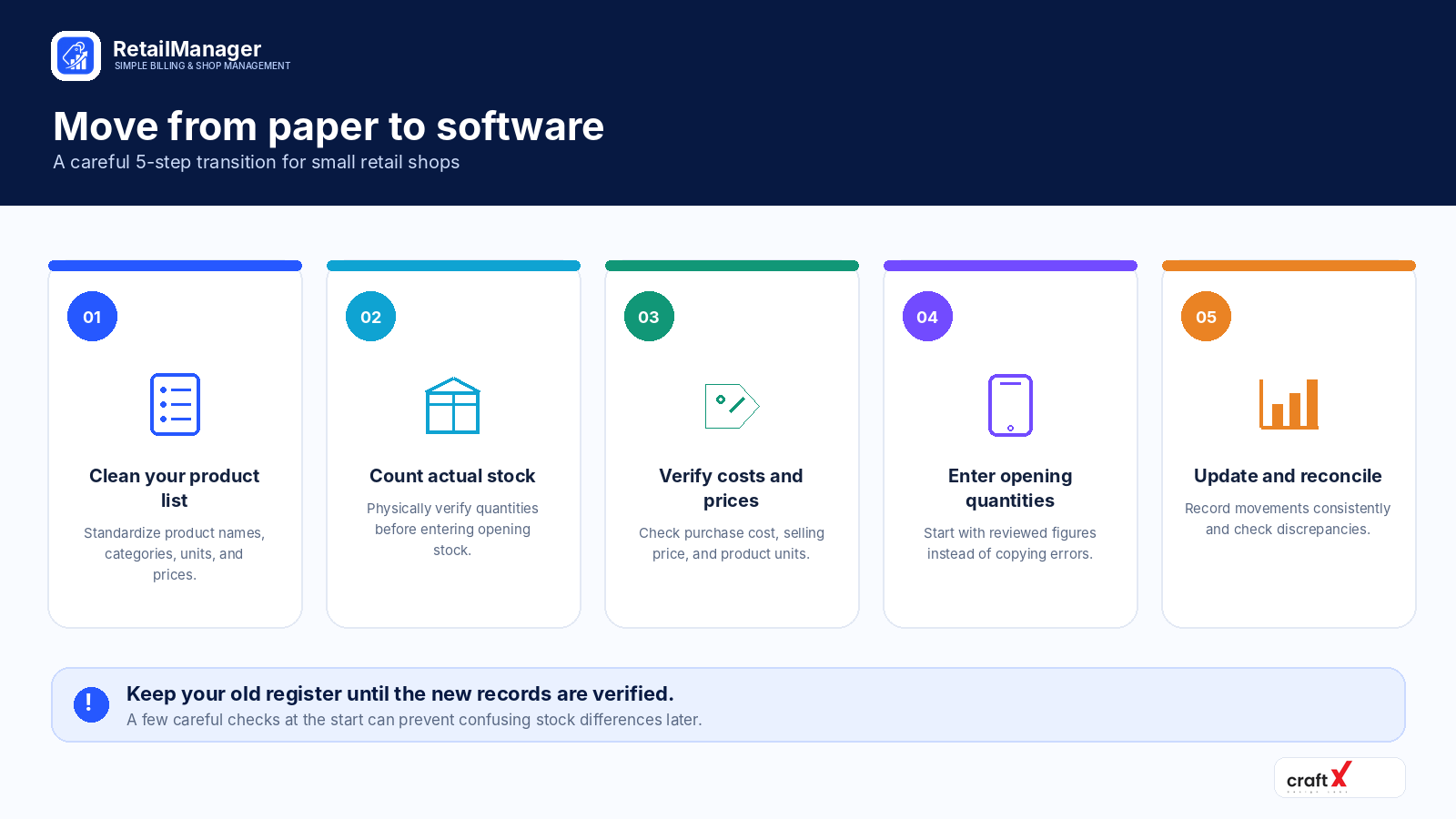 Switching to software is easier when you organize your existing records before entering them into a new system.
Step 1: Prepare your product list
List your products, categories, units, prices, and current quantities. Remove duplicate entries and standardize product names.
Step 2: Count your actual stock
Physically count the products in your shop and compare the results with your records.
Investigate major differences before using the quantities as your opening stock.
Step 3: Enter the opening stock
Add the verified quantities to the inventory system. Where product cost values are needed for reporting, make sure they are recorded consistently.
Step 4: Record new transactions in the chosen system
Once you begin using the software, establish a consistent process for recording sales, received purchases, returns, damaged goods, and adjustments.
Avoid maintaining two independent sets of records indefinitely, because differences between them can create confusion.
Step 5: Verify the results
After the initial setup, compare recorded quantities with physical stock again. Review a sample of purchases and sales to ensure the entries are being recorded as expected.
Train everyone who uses the system so that transactions are recorded consistently.
How RetailManager Can Help Small Shop Owners
RetailManager is a retail management app designed to bring everyday shop activities together.
Its available workflows include product and inventory management, billing and sales, purchase records, customer information, supplier records and payments, and business reports.
For retailers moving away from scattered manual records, these features can provide a more organized way to maintain product and transaction information.
You can review the app's available features and decide whether they suit your shop.
Download RetailManager on Google Play
Frequently Asked Questions
Is a manual stock register better than inventory software?
Neither is best for every business. A manual register may be sufficient for a small shop with few transactions, while software may be more practical when product ranges, transaction volumes, and reporting needs increase.
Can inventory software eliminate stock mistakes?
No. It can help organize and track recorded stock movements, but incorrect entries, unrecorded transactions, and physical losses can still cause discrepancies. Regular stock verification remains important.
Can I manage inventory using Excel instead of a stock register?
Yes. A spreadsheet can provide more flexibility than a paper register, including formulas and filters. However, someone still needs to maintain the data correctly, and the spreadsheet may become harder to manage as the workflow becomes more complex.
Does a small retail shop need inventory management software?
Not necessarily. Consider software when manual records take too much time, stock discrepancies are frequent, or you need better visibility into sales, purchases, and reports.
What should I prepare before switching to inventory software?
Prepare a clean product list, verify the physical stock, confirm prices and product units, and decide how you will record purchases, sales, returns, and adjustments.
Final Thoughts
A manual stock register can be a practical starting point for a small shop. As the business grows, however, maintaining product quantities, purchases, sales, and reports manually may become increasingly difficult.
The best time to consider inventory software is when it solves a genuine business problem and makes everyday work easier.
Start by reviewing your current records, identifying the tasks that consume the most time, and comparing suitable solutions against your actual requirements.
Whether you continue with a notebook, use a spreadsheet, or adopt retail management software, the goal remains the same: maintain reliable stock records and make better decisions about your business.
If you're looking for more ways to improve your shop's daily operations, read our guide on how to manage a small retail shop.
- #Stock Register
- #Inventory Management
- #Retail Software
- #Small Business
- #Stock Tracking