Inventory & Purchasing
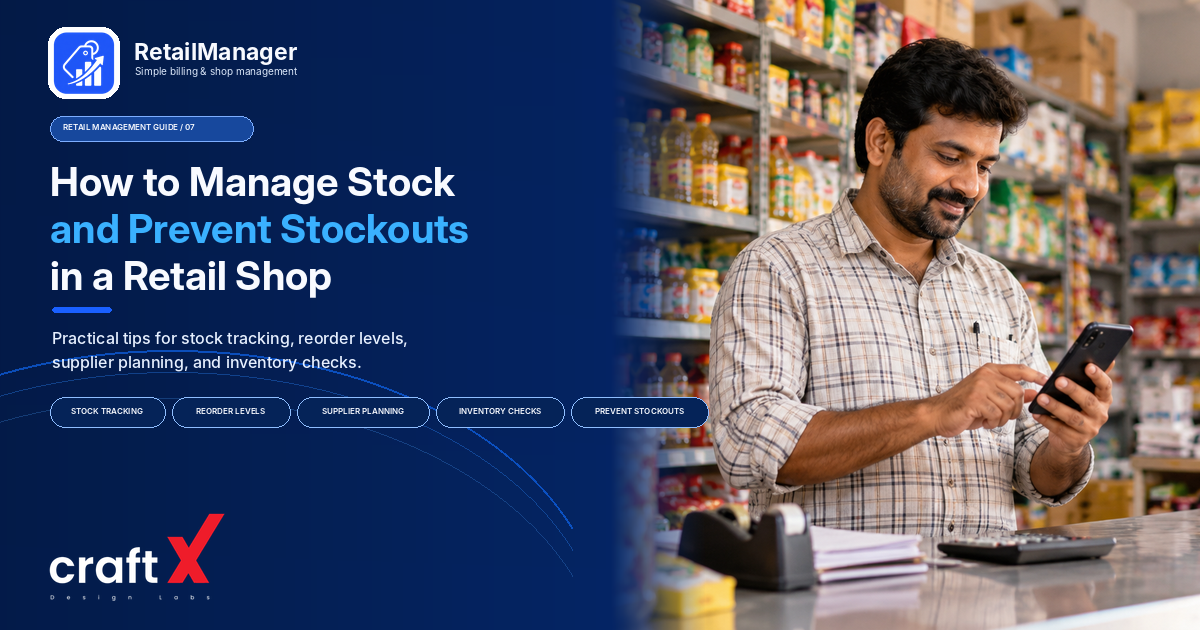
How to Manage Stock and Prevent Stockouts in a Retail Shop
Learn how to prevent stockouts in a retail shop with better stock records, reorder levels, supplier planning, and regular inventory checks.
How to prevent stockouts is an important question for every retailer who wants to keep essential products available without tying up too much money in inventory.
When a customer asks for a product and you discover that it has already run out, you may lose a sale or disappoint a regular customer. At the same time, ordering too much stock can consume working capital, create storage problems, and increase the risk of damage or expiry.
The solution is not simply to buy more products. It is to understand what sells, track what you have, plan when to reorder, and maintain reliable records of purchases and sales.
In this guide, we'll explain practical ways to manage stock and prevent stockouts in a grocery shop, fertilizer store, hardware shop, stationery business, or other retail store.
1. Start with Accurate Stock Records
Before you can prevent stockouts, you need to know how much stock your shop actually has.
Maintain a record of the products you sell, their quantities, and the movements that change those quantities.
For each product, record the information relevant to your business:
- Product name and category.
- Available stock quantity.
- Purchase cost and selling price.
- Units of measurement, such as pieces, packets, kilograms, or litres.
- Supplier details, where useful.
- Product code or barcode, where applicable.
Use consistent product names and units. If the same item appears under different names in your records, you may not realize that its stock is running low.
Also, distinguish between the quantity physically available and the quantity recorded in your system. Regular stock counts help identify differences caused by unrecorded sales, damaged goods, delivery errors, or incorrect entries.
Practical tip: Start by checking the products that customers purchase most frequently. Accurate records for these items can be especially useful when planning replenishment.
2. Identify Your Fast-Moving Products
Some products sell every day, while others may remain on the shelf for weeks.
If you treat every product in the same way, you may spend too much time checking slow-moving items while overlooking products that frequently run out.
Review your sales records and group products according to their demand.
Fast-moving products sell regularly and may need frequent stock checks.
Slow-moving products sell less frequently and may need a different replenishment approach.
Seasonal products experience changes in demand during festivals, weather changes, school seasons, or other periods.
For example, a kirana store may sell certain everyday essentials repeatedly throughout the week, while demand for some festival products rises sharply at particular times of the year.
Review actual sales rather than relying only on memory. Consider seasonal patterns and unusual demand spikes before deciding how much to reorder.
You can also use this information to identify products that should receive more frequent stock checks.
3. Set a Reorder Level for Important Products
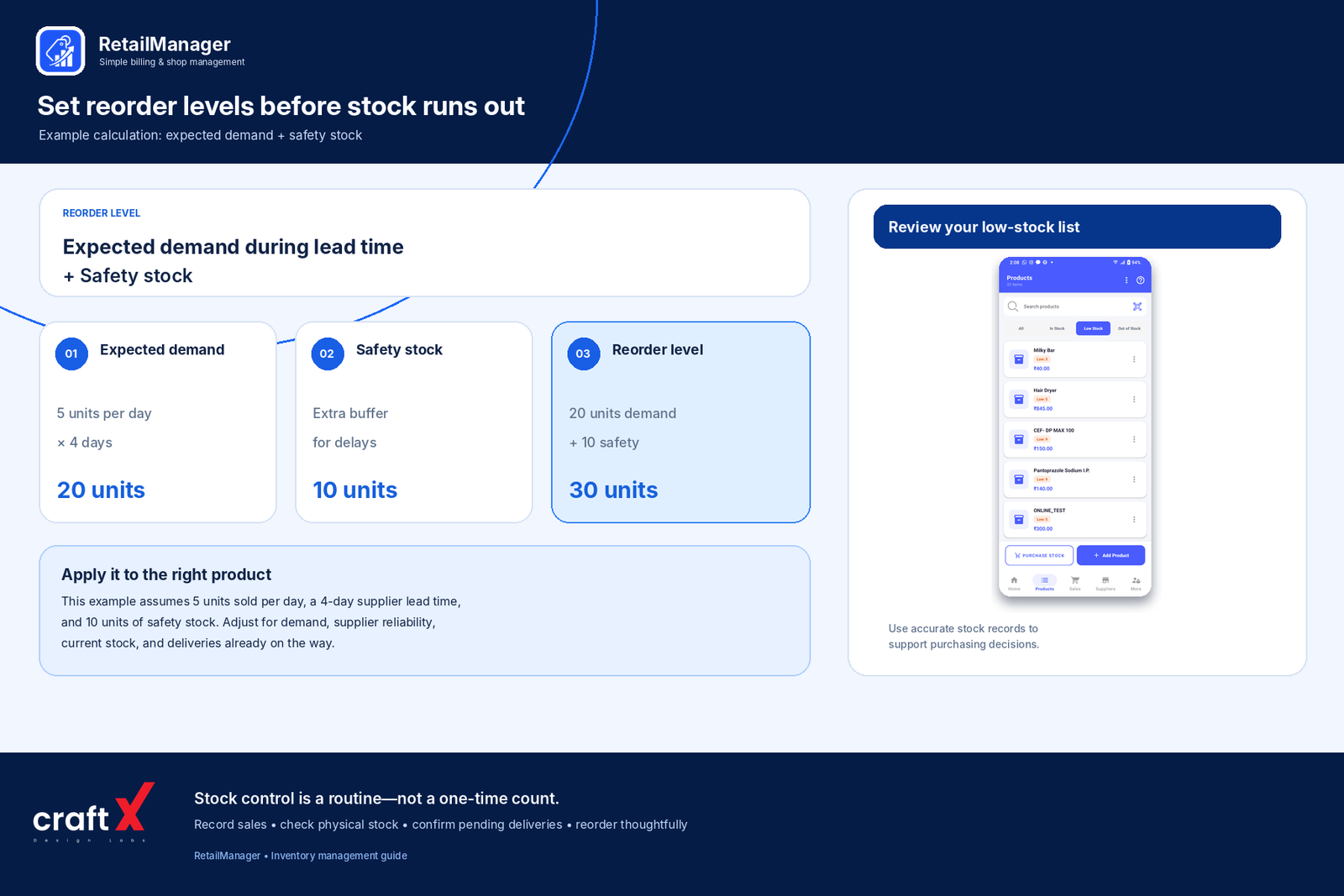 A reorder level is the stock quantity at which you should consider placing another order.
The purpose is to give you enough time to replenish a product before the available stock runs out.
A basic starting formula is:
Reorder level = Expected demand during supplier lead time + Safety stock
Supplier lead time is the time between placing an order and receiving the goods. Safety stock is an additional quantity held to protect against unexpected demand or delivery delays.
Consider this example.
A shop sells approximately five packets of a product per day. The supplier usually takes four days to deliver.
Expected demand during the delivery period is:
5 packets × 4 days = 20 packets
Suppose the shop also decides to keep 10 packets as safety stock.
The reorder level would be:
20 + 10 = 30 packets
When the available stock approaches 30 packets, the shop should review whether it is time to reorder.
This is a simplified example. The appropriate safety stock depends on demand variability, supplier reliability, product importance, storage limitations, and the cost of holding extra inventory.
The formula is a useful starting point, not a guarantee that stock will never run out.
4. Check Pending Orders Before Reordering
One common inventory mistake is ordering more products without checking whether another delivery is already on the way.
For example, your stock record might show 25 units remaining, while a supplier has already confirmed a delivery of another 40 units.
If you order additional stock without considering that pending delivery, you may end up with more inventory than you need.
Before placing an order, review:
- Current available stock.
- Expected demand before the next delivery.
- Pending purchase orders or supplier deliveries.
- Outstanding supplier issues.
- The quantity you expect to sell during the replenishment period.
Your order quantity should account for what you already have and what you expect to receive.
This is particularly important when several suppliers deliver on different days or when purchases are made in bulk.
5. Maintain Reliable Supplier Relationships
Your stock plan depends partly on how reliably your suppliers deliver products.
Even if you estimate demand correctly, unexpected delays can cause stockouts.
Keep useful supplier information organized, including contact details, the products they supply, usual delivery times, minimum order quantities, and outstanding payments where relevant.
Review supplier performance over time.
Ask questions such as:
- Does the supplier usually deliver on the promised date?
- Are the quantities delivered correct?
- Are popular products frequently unavailable?
- Do minimum order quantities force me to buy too much?
- Is there another suitable supplier if an important product becomes unavailable?
For critical products, it may be sensible to identify an alternative supplier where practical.
You do not necessarily need to change suppliers whenever a delay occurs. First understand whether the issue is occasional or part of a recurring pattern.
6. Review Stock Before Placing New Orders
A regular stock review helps turn inventory records into purchasing decisions.
You can establish a simple schedule based on your business.
For fast-moving products, check stock frequently. For slower-moving items, a less frequent review may be sufficient.
During each review, identify products that:
- Are below their reorder levels.
- Have experienced unusual demand.
- Are expected to sell faster during an upcoming season.
- Have pending deliveries.
- Are damaged, expired, or otherwise unavailable for sale.
- Have stock records that do not match physical quantities.
Avoid relying on a single large stock count as your only inventory-control process. A periodic physical count is important, but regular reviews of stock movements help you identify potential problems between counts.
The frequency of checks should match your store's size, transaction volume, product risk, and available resources.
7. Avoid Overstocking While Preventing Stockouts
Preventing stockouts does not mean keeping large quantities of every product.
Excess inventory ties up money and can create problems when products have expiry dates, limited shelf life, changing demand, or high storage requirements.
Use a balanced approach.
For fast-moving products: Review demand frequently and replenish them before they run out.
For slow-moving products: Check recent sales before ordering more. Avoid repeatedly replenishing items that already have sufficient stock.
For seasonal products: Plan purchases based on expected demand and review the stock remaining after the season ends.
For expensive products: Consider the cost of holding inventory and the consequences of being out of stock before deciding on the order quantity.
Your goal is to keep enough of the right products available without purchasing unnecessary quantities.
8. Record Sales and Purchases Consistently
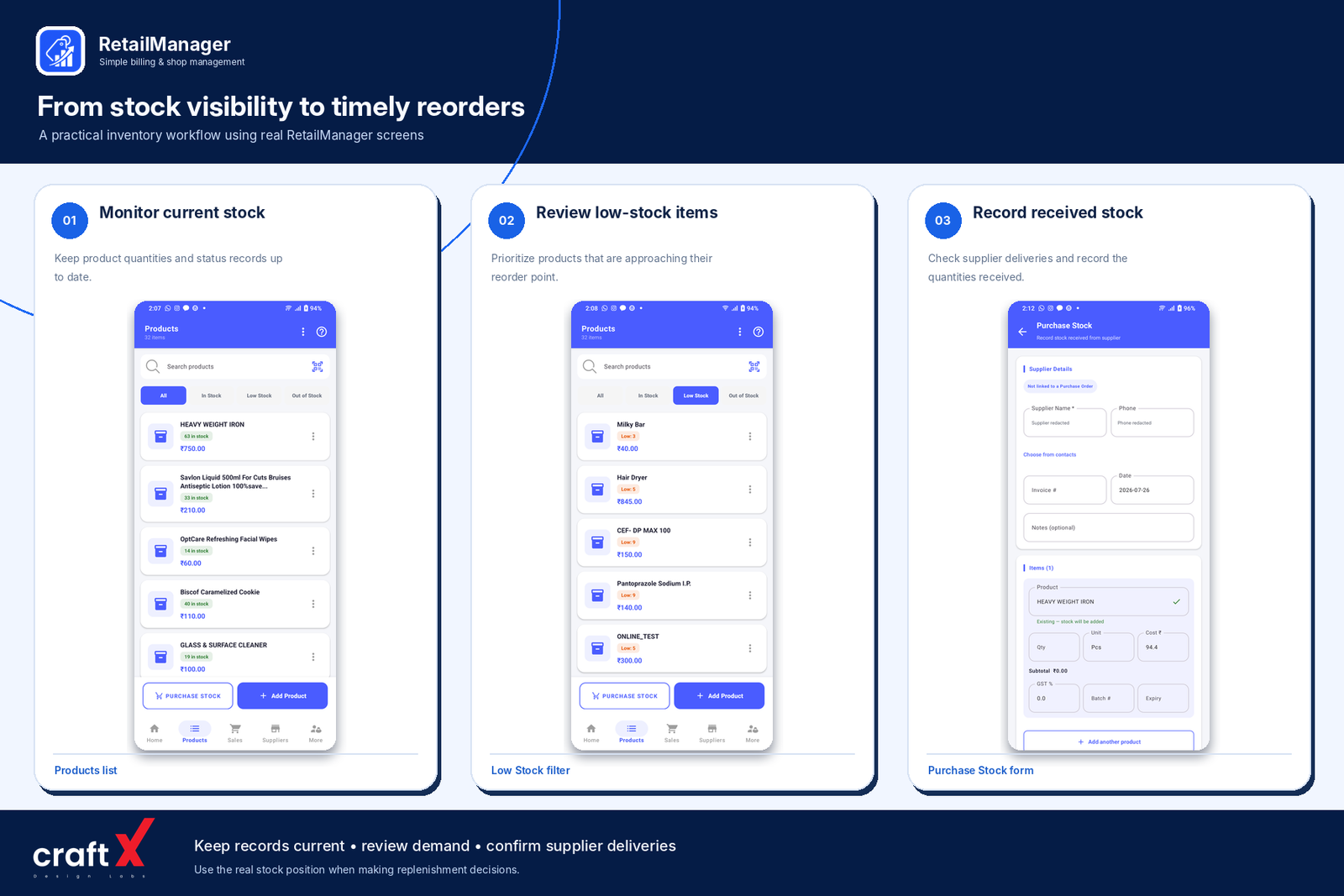
Your replenishment decisions depend on the quality of your records.
When sales are not recorded correctly, your stock records may overstate the quantity available. When purchases are entered incorrectly, the system may show more or less stock than you actually received.
Create a consistent process for recording stock movements:
- Record sales through your regular billing process.
- Enter purchases when goods are received, using the appropriate quantities.
- Record customer returns and supplier returns correctly.
- Document damaged goods and necessary stock adjustments.
- Investigate significant differences between recorded and physical stock.
When receiving a delivery, compare the products and quantities received with the supplier's documentation. Do not automatically assume that the delivered quantity matches the amount ordered.
Good records help you identify stock problems earlier and make replenishment decisions using more reliable information.
9. Use Inventory Software to Monitor Stock
A notebook or spreadsheet may be sufficient for a small product range. As your shop grows, keeping product quantities, purchases, and sales updated manually can become time-consuming.
Inventory management software can help organize product records and track stock changes through supported workflows.
Depending on the system, useful features may include:
- Product and category management.
- Stock quantity records.
- Purchase and sales tracking.
- Low-stock indicators or alerts.
- Supplier records.
- Inventory and sales reports.
When evaluating software, confirm how it updates stock after a sale or purchase and how it handles returns, damaged goods, and adjustments.
RetailManager provides product and inventory management alongside billing, purchase records, supplier information, and business reporting workflows. These features can help retailers keep relevant records organized.
The benefits depend on accurate setup and consistent transaction recording. Software cannot reliably predict every demand change or prevent a stockout if purchases, sales, and stock adjustments are not recorded properly.
You can explore the app here:
Download RetailManager on Google Play
10. Create a Simple Stock-Control Routine
You can put these practices together in a routine that fits your shop.
At the beginning of the day
- Check important products that are running low.
- Review expected deliveries.
- Identify products that may need immediate replenishment.
During the day
- Record sales consistently.
- Enter received purchases.
- Note damaged stock and returns.
- Keep supplier delivery information organized.
At the end of the day
- Review important stock movements.
- Check products approaching their reorder levels.
- Investigate significant stock discrepancies.
- Prepare a purchase list for the next supplier order.
Weekly or periodically
- Conduct physical stock counts for selected products.
- Review fast-moving and slow-moving items.
- Check supplier reliability.
- Adjust reorder levels when demand or delivery times change.
Start with the most important products and expand the process as it becomes manageable.
If you also want to understand how expenses affect your bottom line, read our guide on how to calculate retail shop profit
Frequently Asked Questions
What is a stockout in retail?
A stockout occurs when a product is unavailable for sale because there is no usable stock available to meet customer demand.
How can I prevent stockouts in a small retail shop?
Maintain accurate stock records, monitor fast-moving products, set sensible reorder levels, account for supplier lead times, and review pending deliveries before placing new orders.
What is a reorder level?
A reorder level is the quantity at which a retailer should consider replenishing a product. It commonly accounts for expected demand during the supplier lead time and an appropriate safety-stock buffer.
Should I keep extra stock to prevent stockouts?
Some safety stock may help protect against unexpected demand or supplier delays. The appropriate quantity depends on the product, demand variability, lead time, storage constraints, and the cost of holding additional inventory.
Can inventory software prevent stockouts automatically?
Software can help you monitor recorded stock and identify products requiring attention when appropriate features are available. However, its usefulness depends on accurate records, suitable reorder settings, and reliable supplier deliveries.
How often should I review stock levels?
Fast-moving and important products may need frequent checks, while slower-moving products can be reviewed less often. The right schedule depends on your store's size, product demand, and inventory risks.
Final Thoughts
Preventing stockouts starts with understanding what sells, knowing how much stock is available, and planning purchases before important products run out.
Keep product records accurate, set sensible reorder levels, monitor supplier deliveries, and review inventory regularly. At the same time, avoid holding excessive stock that ties up money or creates storage and expiry problems.
Whether you use a notebook, spreadsheet, or retail management app, consistent stock-control practices can help you serve customers more reliably and make better purchasing decisions.
- #Stock Management
- #Inventory Control
- #Stockouts
- #Retail Management
- #Supplier Management